What’s New in Kargo v1.8
Jesse Suen
We’re thrilled to introduce Kargo v1.8, a major release packed with new features and enhancements users have been asking for — all designed to give you more control, smarter automation, and richer context in your deployment pipelines.
Below is a guided tour of what’s new. For full details, see the release notes.
New features available in Kargo Enterprise
Introducing Notifications (Enterprise)
Kargo Enterprise now supports configurable notifications, so your team never misses an important event. With the new Notifications feature, you can send alerts and updates to channels like Slack and email when key actions occur — such as promotions, or failures.
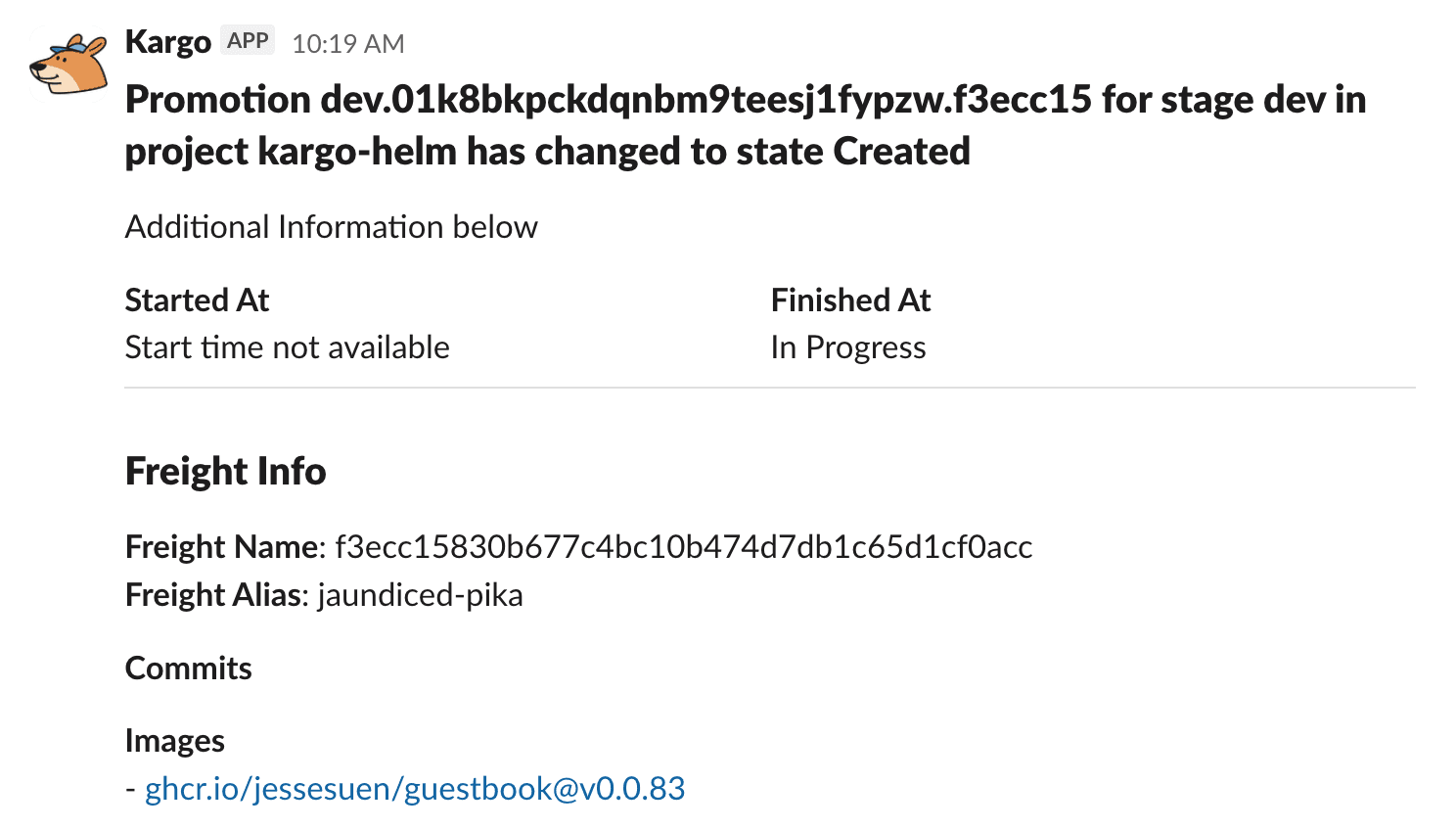
You can send messages in two flexible ways:
1. Inline within your promotion steps — for fine-grained, context-aware messages:
steps:
- if: ${{ always() }}
  uses: send-message
  config:
    channel:
      kind: MessageChannel
      name: slack
    message: "Kargo promotion to ${{ ctx.stage }} ${{ success() ? 'succeeded' : 'failed' }}"
2. Reactively, using Event routing, to handle notifications for an entire project triggered by specific events and with rich message formatting:
apiVersion: ee.kargo.akuity.io/v1alpha1
kind: EventRouter
metadata:
  name: promotion-events
  namespace: kargo-demo
spec:
  channels:
    - kind: MessageChannel
      name: slack
  types:
    - PromotionSucceeded
    - PromotionFailed
    - PromotionErrored
Whether you want quick, targeted updates during a deployment or centralized visibility into all your projects,Notifications make it easy to keep everyone informed — right where your team already collaborates.
GitHub Actions Integration (Enterprise)
Kargo Enterprise now includes a GitHub Actions integration, enabling you to trigger a GitHub Actions workflow directly from a promotion step — and wait for it to complete before continuing the pipeline.
This means Kargo can now coordinate seamlessly with your existing CI/CD workflows. For example, you can:
Dispatch a GitHub Actions workflow that runs integration or end-to-end tests before promoting to staging
Retag and push container images using your existing Actions workflows
Execute compliance checks or custom automation steps outside the cluster, then resume promotion once the workflow passes
This feature closes the loop between GitOps and GitHub Actions, giving you tighter feedback and orchestration between systems you already use.
For more detailed information, refer to the gha-dispatch-workflow documentation and gha-wait-for-workflow documentation.
New features available in both OSS and Enterprise Kargo include:
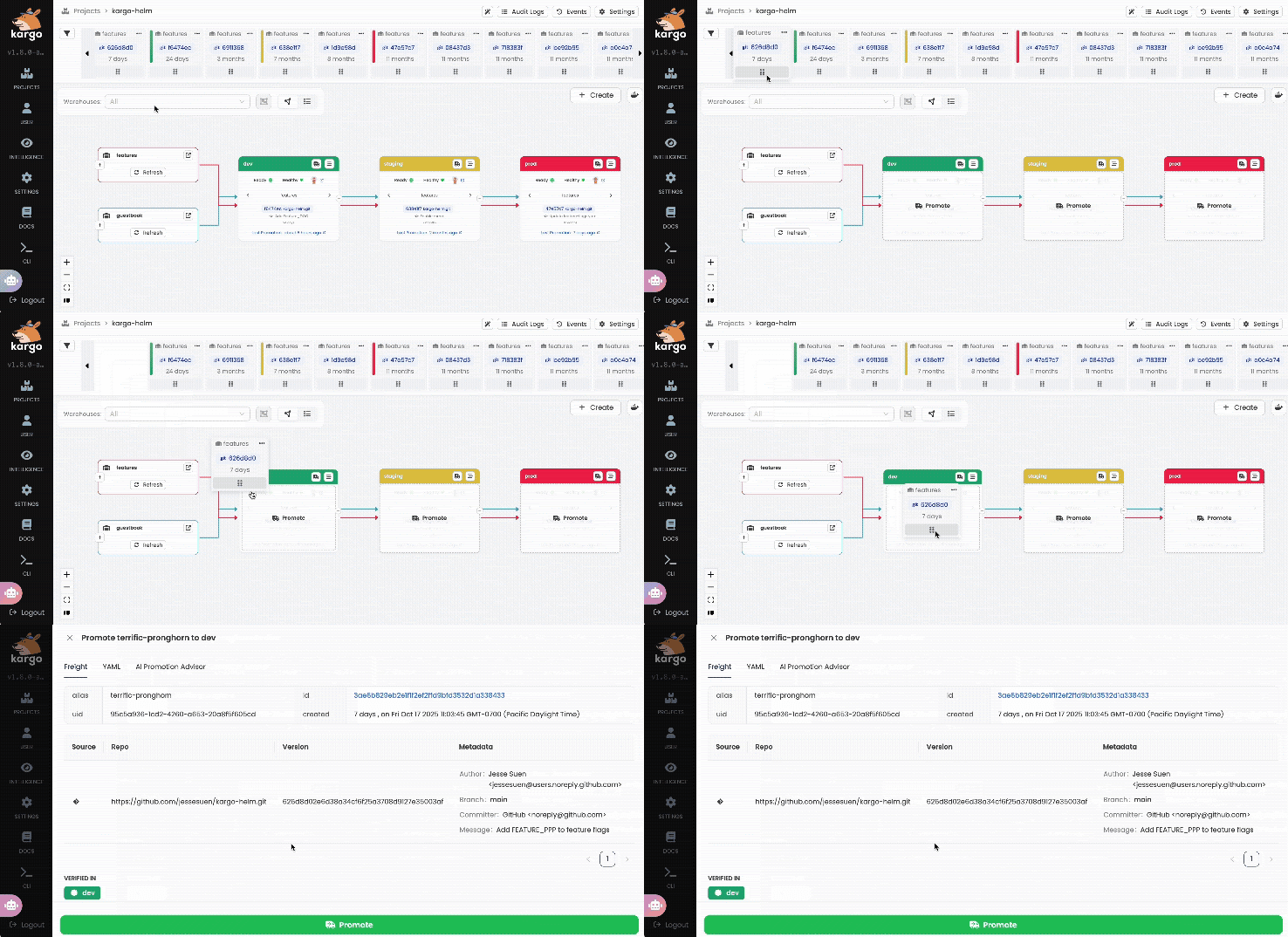
Drag & Drop Promotions
A faster, more intuitive way to promote Freight! Simply drag and drop Freight into a Stage to kick off a promotion, saving time and clicks.
New and improved metadata for Freight & Stages
Kargo now makes it easier to carry important context across your deployment pipeline. With the new set-metadata promotion step, you can attach arbitrary metadata to your Freight and Stage resources — and retrieve it later using the new freightMetadata() and stageMetadata() expression functions.
This unlocks powerful automation patterns, such as:
Storing a Slack thread ID with a Freight and automatically posting updates to that same thread as it moves through stages
Passing deployment-related metadata (like commit SHAs or build IDs) between environments for traceability and auditing
Together, these tools make your pipelines more connected, traceable, and flexible than ever.
Expression-based Freight Creation Criteria
Warehouses now support expression-based criteria for automatic Freight creation — giving you precise control over when new Freights are generated.
Now, when a Warehouse’s Freight creation policy is set to Automatic, you can define an expression that must evaluate to true before Freight creation proceeds. For example, you can ensure a Freight is only created when front-end and back-end container images share the same version tag:
kind: Warehouse
spec:
  freightCreationPolicy: Automatic
  subscriptions:
  - image:
      repoURL: ghcr.io/example/frontend
  - image:
      repoURL: ghcr.io/example/backend
  freightCreationCriteria:
    expression: |
      imageFrom('ghcr.io/example/frontend.git').Tag == imageFrom('ghcr.io/example/backend.git').Tag
You can read more about this new feature in the Working with Warehouses section of Kargo's documentation.
Syncing to an Upstream Stage
Kargo now supports a new auto-promotion policy called MatchUpstream, which lets a Stage stay in sync with its immediate upstream Stage, rather than always promoting the newest available Freight.
This makes it easy to maintain environment consistency across your delivery pipeline. For example, you can link three production environments to ensure they all deploy identical artifacts in sequence, advancing only after verification and soak checks, and remain aligned even when a rollback occurs.
You can read more about this feature in the Working with Stages section of Kargo's documentation.
git-merge-pr promotion step
Kargo now includes a new git-merge-pr promotion step, allowing you to automatically merge pull requests as part of your promotion workflow.
This feature is perfect for teams that open PRs primarily for audit or review purposes, but want them merged automatically once approved — streamlining the path from verification to deployment.
You can read more about this feature on the git-merge-pr promotion step's reference page.
Improved User-to-ServiceAccount Mapping
Kargo’s authentication system has been upgraded with a new, more flexible format for mapping authenticated users to Kubernetes ServiceAccounts.
This enhancement removes previous limitations by supporting special characters that weren’t allowed in Kubernetes annotation keys — making mappings more expressive and easier to manage across different identity providers.
The migration is fully automatic and requires no manual action. Your existing mappings will continue to work seamlessly after upgrading.
You can read more about mappings in the operator guide and user guide.
Harbor Webhook Receiver
Kargo now includes a webhook receiver for Harbor, enabling automatic Warehouse artifact discovery whenever new container images or Helm charts are pushed to your Harbor registry.
This integration keeps your Warehouses instantly up to date, no manual refresh or polling required, ensuring your delivery pipelines always have the latest artifacts available for promotion.
To learn more, refer to the Harbor webhook receiver reference docs
UX Enhancements & Other Quality-of-Life Additions
Favorite Projects: You can now “star” Projects so they’re easier to find in contexts where your org has many of them
Freight “Clone” assembly option: Use an existing Freight as a template and select only specific artifact revisions to change — useful when you want to reuse most of the old configuration but tweak one or two artifacts.
Big Thank You to Our First-Time Contributors
Thank you to the Kargo Community for their support and contributions to the project. This release would not have been possible without your support. Special shout-out to our first-time contributors: @mikedougherty, @ahockersten, @gladavius, @ianstanton, @kyounghunJang and @jobama7860.
Kargo 1.8 is Out – Try it Today!
Kargo 1.8 introduces small improvements in addition to the ones discussed, so be sure to check out the full release notes here. Kargo v1.8 is out now, and we encourage you to explore everything the latest version has to offer!
Interested in Kargo Enterprise? Book a personalized demo today.
Just Getting Started with Kargo?
Here are some helpful resources:
Kargo: Revolutionizing GitOps Promotion Workflows (On-Demand Webinar)
Join the Kargo Community on Discord! (Discord)
Continuous Promotion with Kargo - A Practical Guide for Platform Teams [Guide]
