Scalable Argo CD Application Management on Akuity
Jiacheng Xu


Argo CD ApplicationSets are a powerful tool for automating the creation and management of Argo CD Applications across multiple clusters and environments. ApplicationSets do this by templating Application manifests, which enables GitOps at scale.
However, managing ApplicationSets, which is traditionally done via YAML manifests and command-line interfaces, often becomes cumbersome – especially during troubleshooting. Figuring out why expected Applications weren't generated requires manually checking of status fields, digging through controller logs, and inspecting Kubernetes events. There is no way to do this through the core Argo CD UI, making the process even more difficult.
What if you could manage your ApplicationSets directly within the familiar Argo CD UI?
Today, we're excited to introduce a new way to manage ApplicationSets on the Akuity Platform.
The Argo CD extension for managing ApplicationSets provides users with ease-of-use and an intuitive interface for ApplicationSet management. Key capabilities including:
Full CRUD Management: Create, view, edit, and delete ApplicationSets.
Status Visualization: Easily view the aggregated sync and health status of generated Applications.
Live Previews: Instantly preview the applications an ApplicationSet will generate or modify before saving changes.
How to Manage Argo CD ApplicationSets in Akuity: A Walkthrough
The new ApplicationSet management capabilities include a dedicated "ApplicationSets" section on the Argo CD navigation in the Akuity Platform. From the UI, you can perform full CRUD (Create, Read, Update, Delete) operations just like you would for regular Applications. This brings ApplicationSet management into the same intuitive workflow you already use for your Argo CD applications.
Below is a step-by-step walkthrough of how to use the new ApplicationSet extension inside the Argo CD UI.
Step 1: Create & Preview ApplicationSets in the UI
You can create ApplicationSets by navigating to the "ApplicationSets" section, and click "+ CREATE".
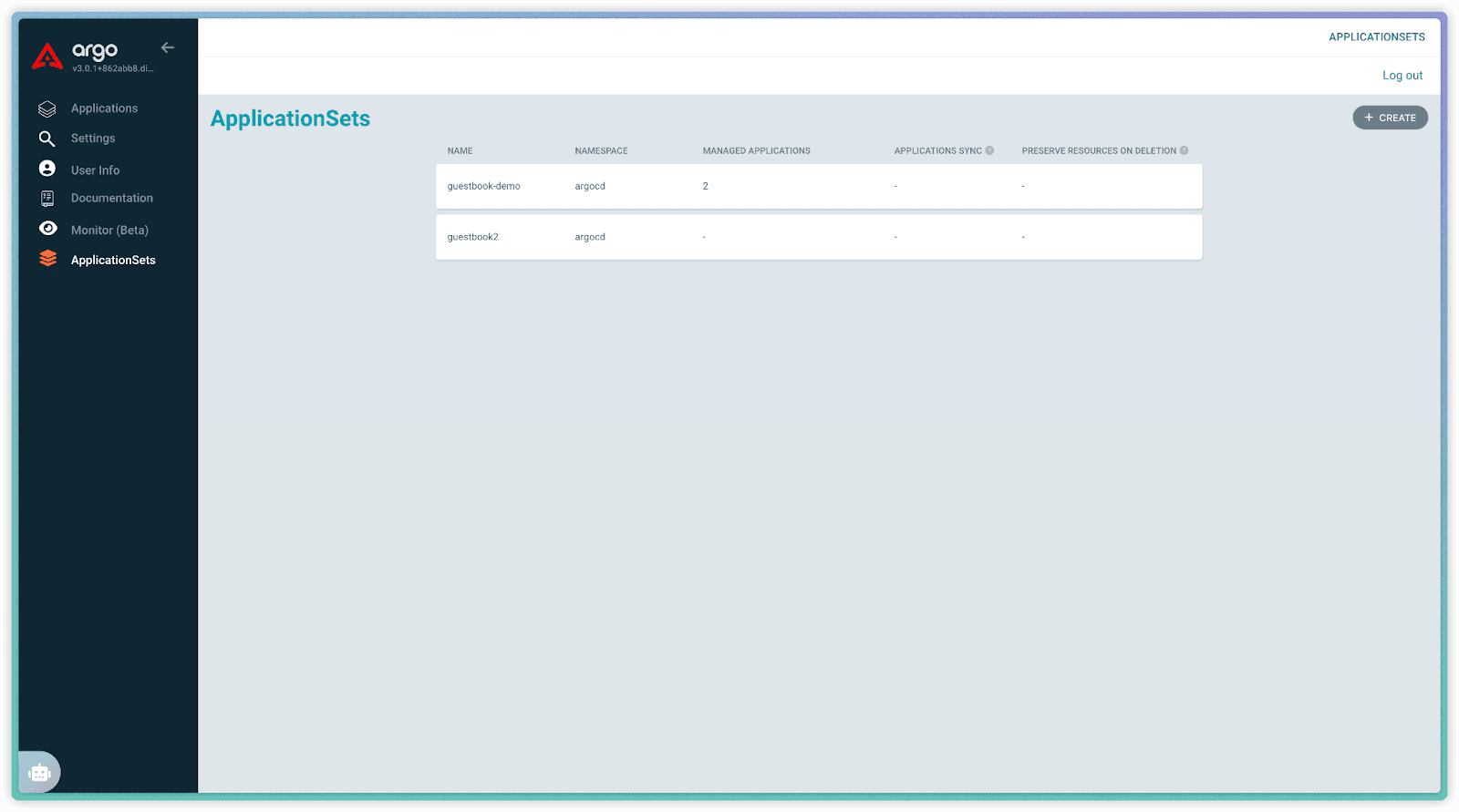
Then define your ApplicationSet in the Manifest editor:
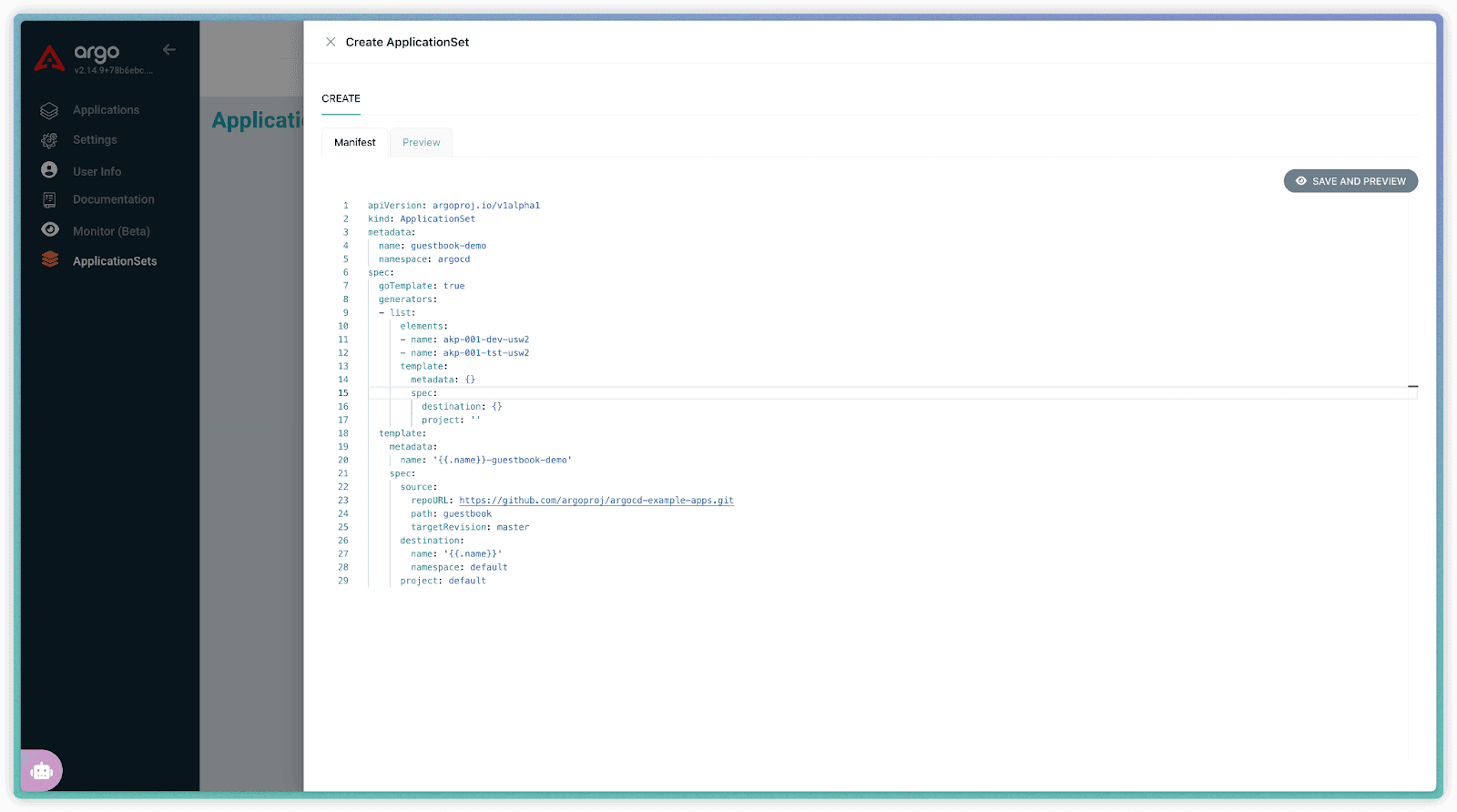
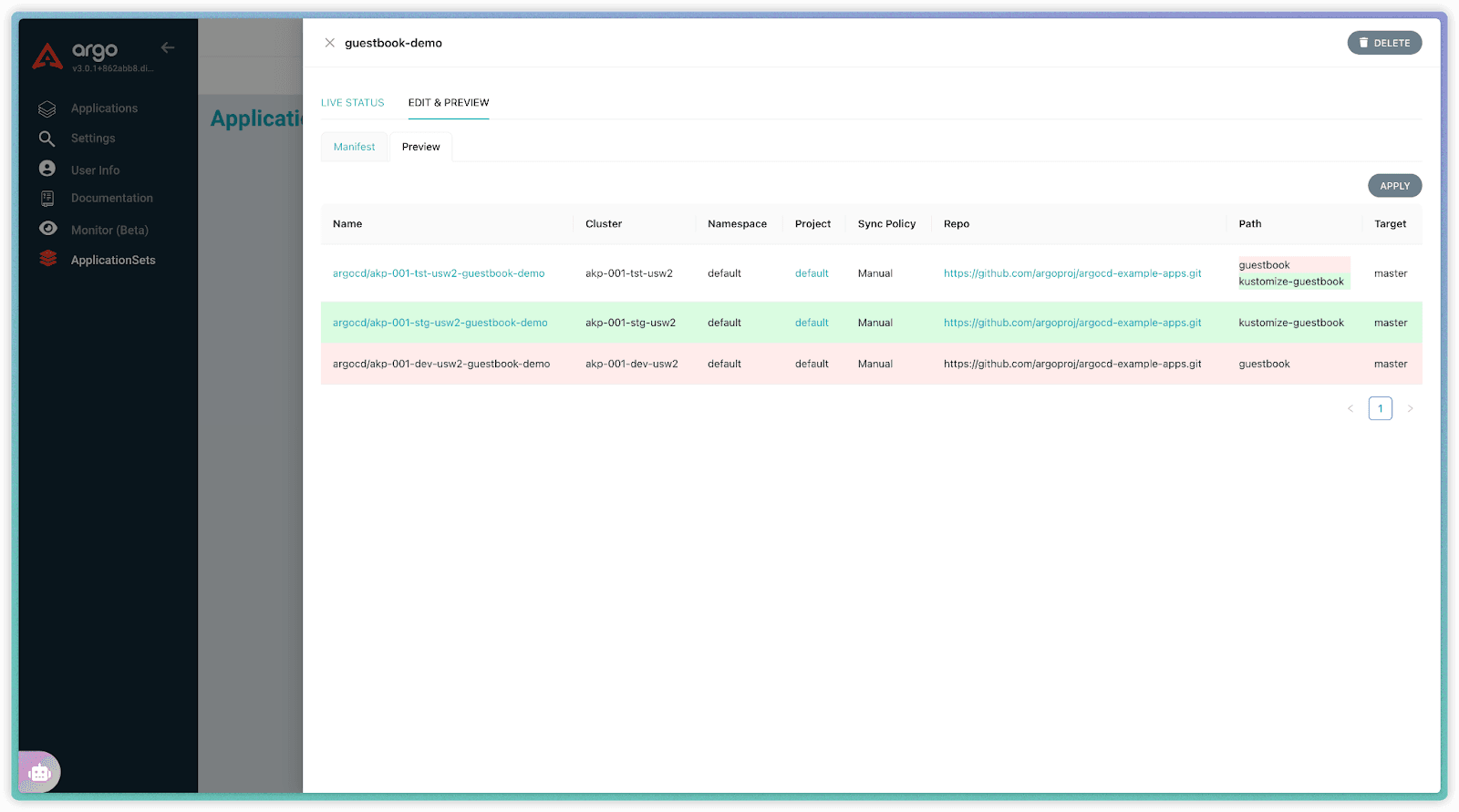
Before committing, click "SAVE AND PREVIEW" to see exactly which Applications your current definition will generate. This immediate feedback loop helps catch errors in generators or templates early, ensuring you deploy what you intend.
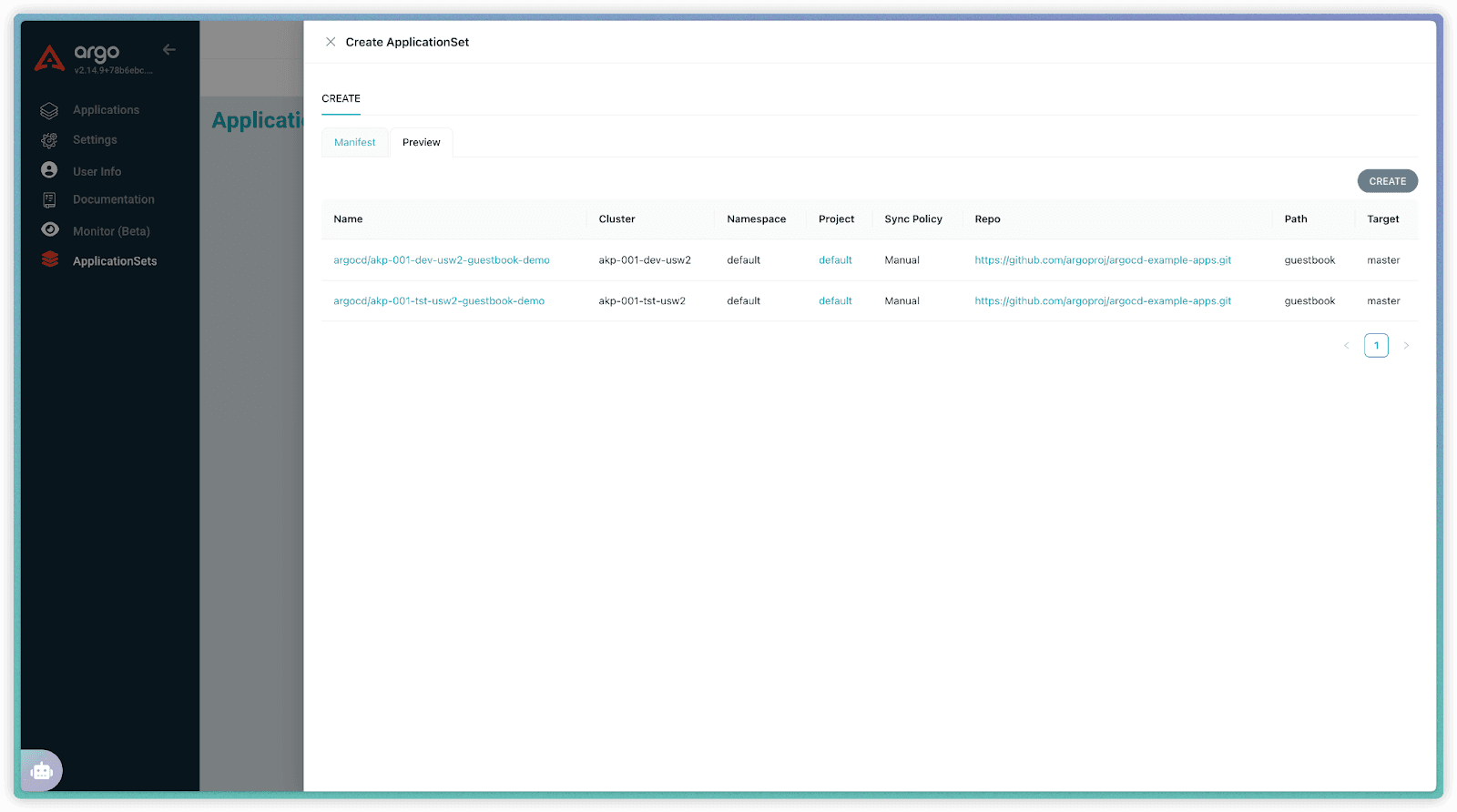
Step 2: View Generated Application Status
Once your ApplicationSet is created, understanding the state of the applications it manages is simple. Select the ApplicationSet and go to the "Live Status" tab. This provides a consolidated view, showing the aggregated sync and health status of all generated applications.
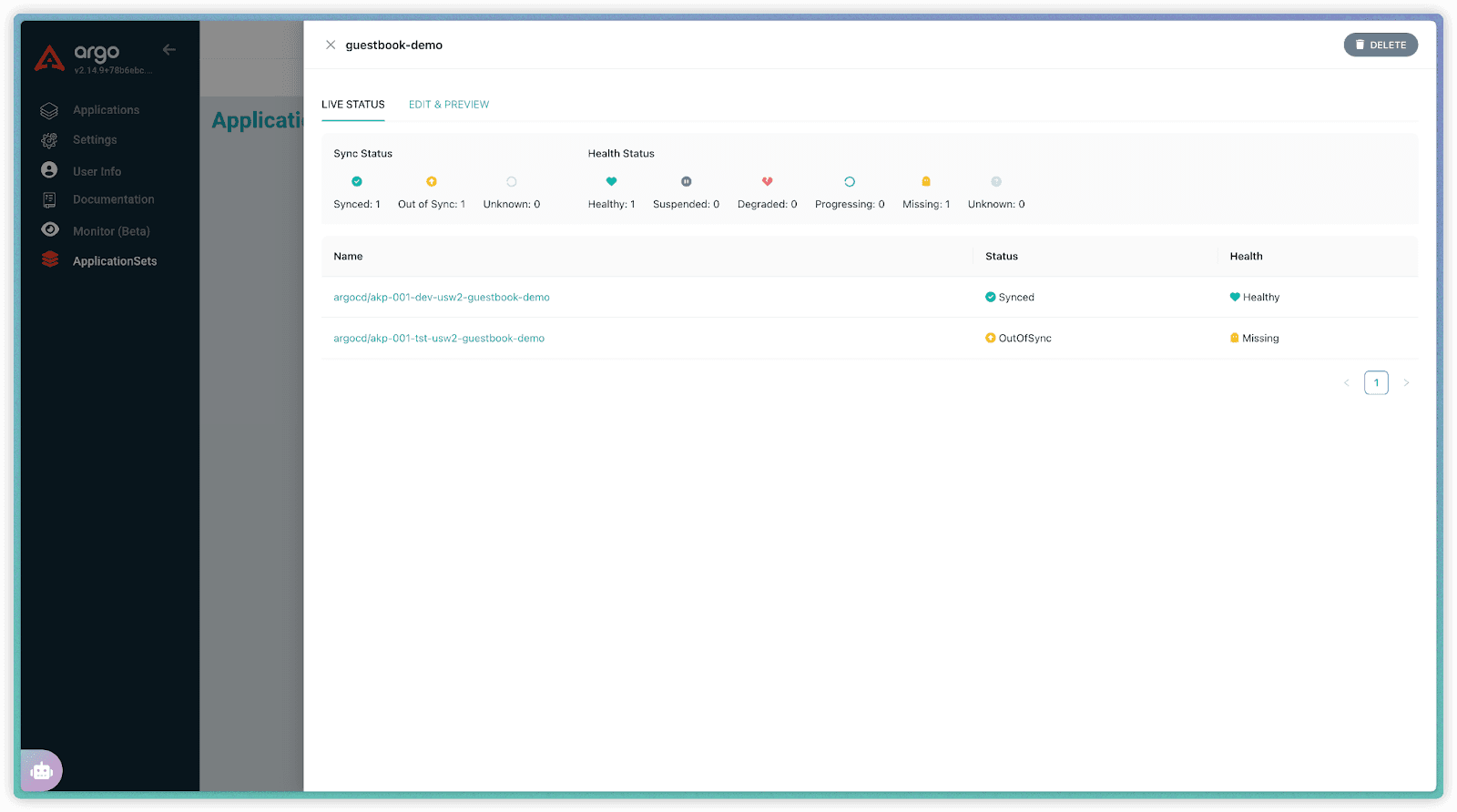
Step 3: Modify, Preview, and Apply Changes in the UI
If you want to modify the ApplicationSet, go to the "Edit & Preview" tab. Here you can modify the manifest directly. For instance, let's change the spec.template.spec.source.path from guestbook to kustomize-guestbook, remove dev cluster and add stg cluster:
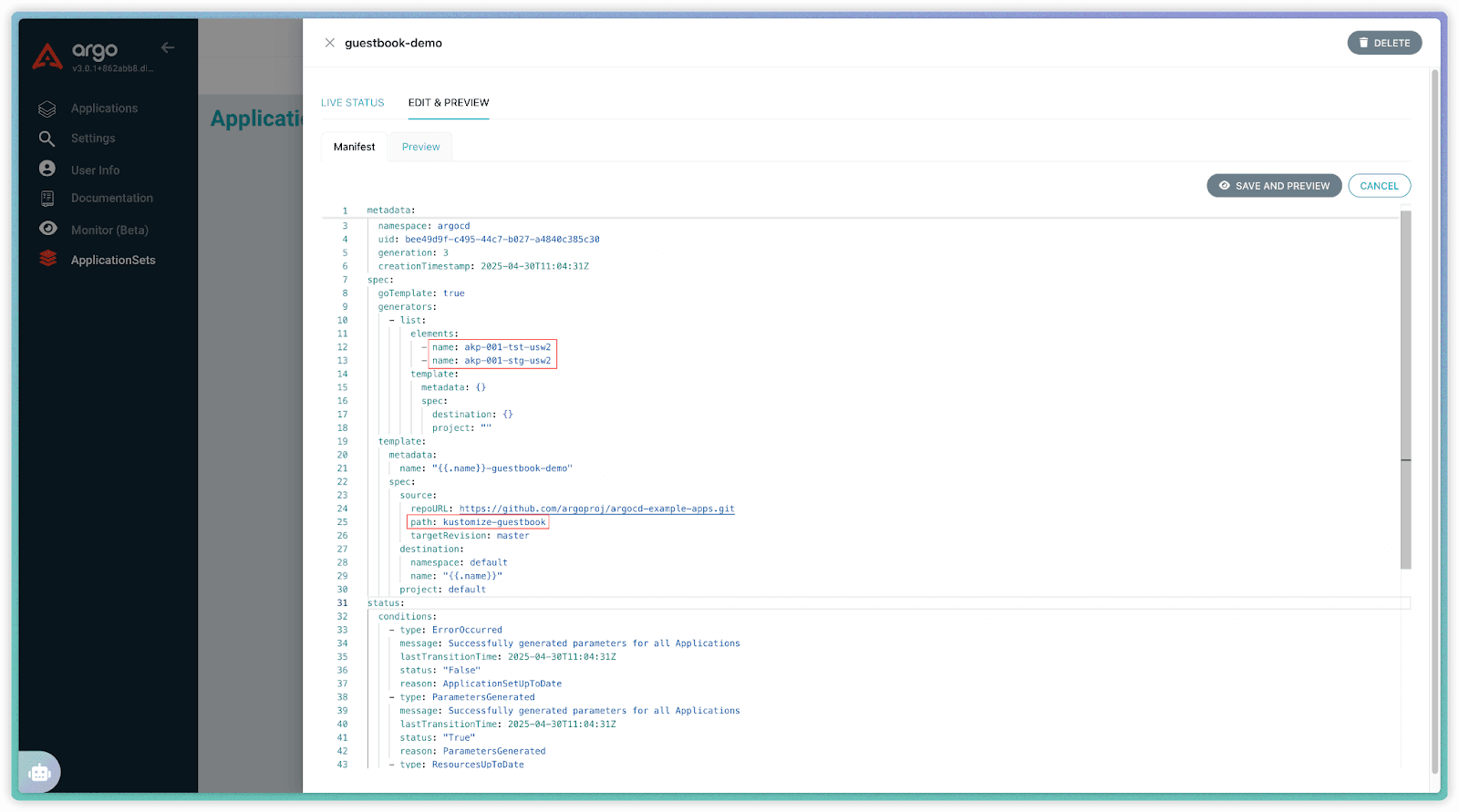
After editing, click the "SAVE AND PREVIEW" sub-tab within "Edit & Preview". It instantly refreshes, showing the diff of applications that will be generated based on your modified manifest. This lets you confirm the change (like the updated path) has the desired effect before you apply it. Once confident, click "APPLY" to save the changes. The preview updates instantly, showing the 'path' change for the generated Applications before applying.
Try Akuity’s New ApplicationSet Capabilities Today!
This new ApplicationSet extension is now available on the Akuity Platform. Existing customers can access it immediately through the Argo CD UI. We're excited to see how this integrated experience helps you manage ApplicationSets more efficiently and with greater confidence.
If you're new to Akuity and interested in exploring how these capabilities could simplify your ApplicationSet workflow, request a demo today to see it in action.
