Introducing Insights Dashboards Timeline for Kubernetes Incident Troubleshooting
Alexander Matyushentsev

Argo CD is more powerful and versatile than ever with Akuity. The Akuity Platform allows users to provision Argo CD instances in seconds, ready for large-scale use from day one with flexibility and security. Insights Dashboards – part of the Akuity Platform – expands observability, broadening Argo CD’s functionality and enabling valuable use cases for platform administrators.
Since launching the Insights Dashboards, we’ve received incredible feedback from early adopters, inspiring new features for the tool. We introduced Infrastructure View, which maps hosts and pods across all Kubernetes clusters, and dashboards that highlight deprecated Kubernetes APIs and resources stuck in a deleting state.
Today, we’re excited to introduce a major addition to the Insights Dashboards: the Timeline View feature.
Timeline View
The Timeline View feature unveils a new layer of visibility into Kubernetes clusters: the dimension of time. The ability to view historical events is valuable for multiple use cases, and in this release, Akuity is focused specifically on outage troubleshooting and reducing recovery times.
The Akuity Platform stores critical workload-related events and uses this data to provide an exceptionally powerful incident debugging tool. The Timeline View dashboard is available in both the Akuity Platform and the Argo CD user interface, offering valuable insights for both application developers and platform administrators.
Correlation Between Events
Argo CD already gathers extensive information on managed workloads, sufficient to diagnose the root cause of most outages. It tracks Kubernetes configuration changes, container restarts, and readiness and liveness probe failures. When an incident occurs, the Application Details page is typically the first tool engineers use, as it provides a comprehensive snapshot of the current Kubernetes state. Unfortunately, it doesn’t answer the next logical question: “What has changed?” This is precisely what the Timeline view feature addresses.
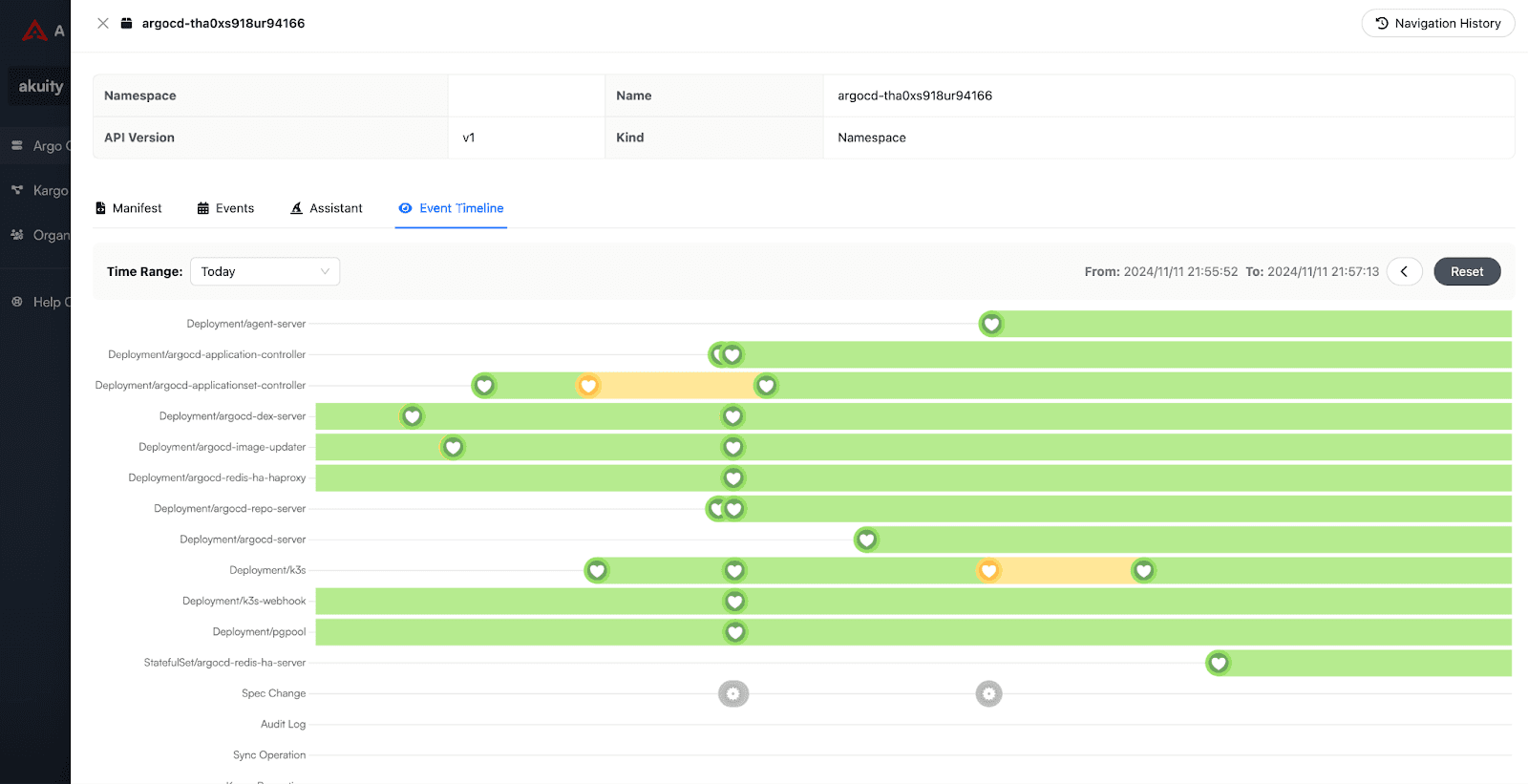
The Akuity Platform offers an Argo CD UI extension that introduces a new Timeline View panel. The extension visualizes health state changes in application workloads and various related events.
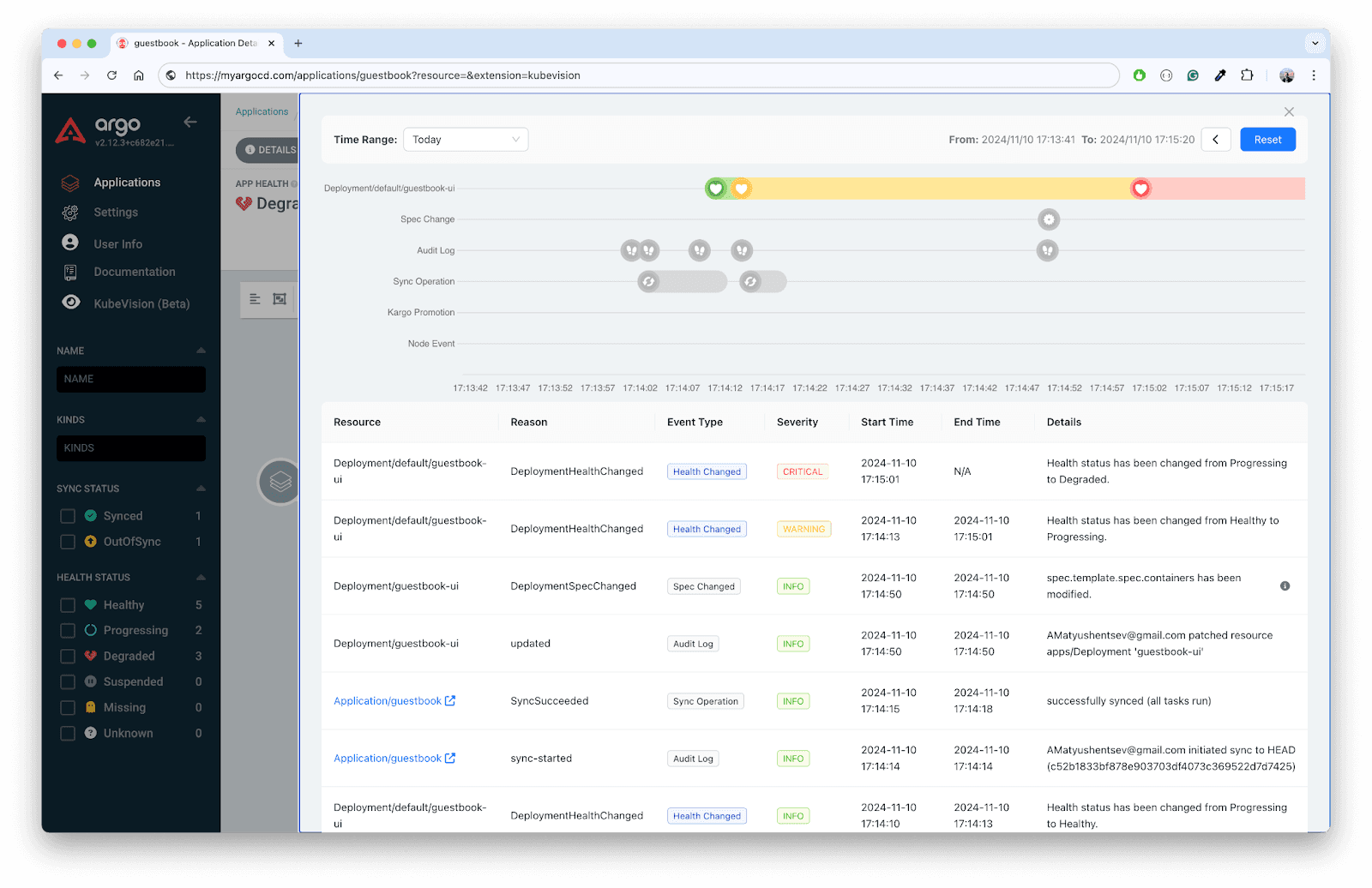
This functionality immediately answers a variety of questions crucially important during outage troubleshooting:
How long has the workload been degraded?
Is the issue transient or ongoing?
Is it improving or worsening?
When did the change occur?
What exactly has changed?
Event Details
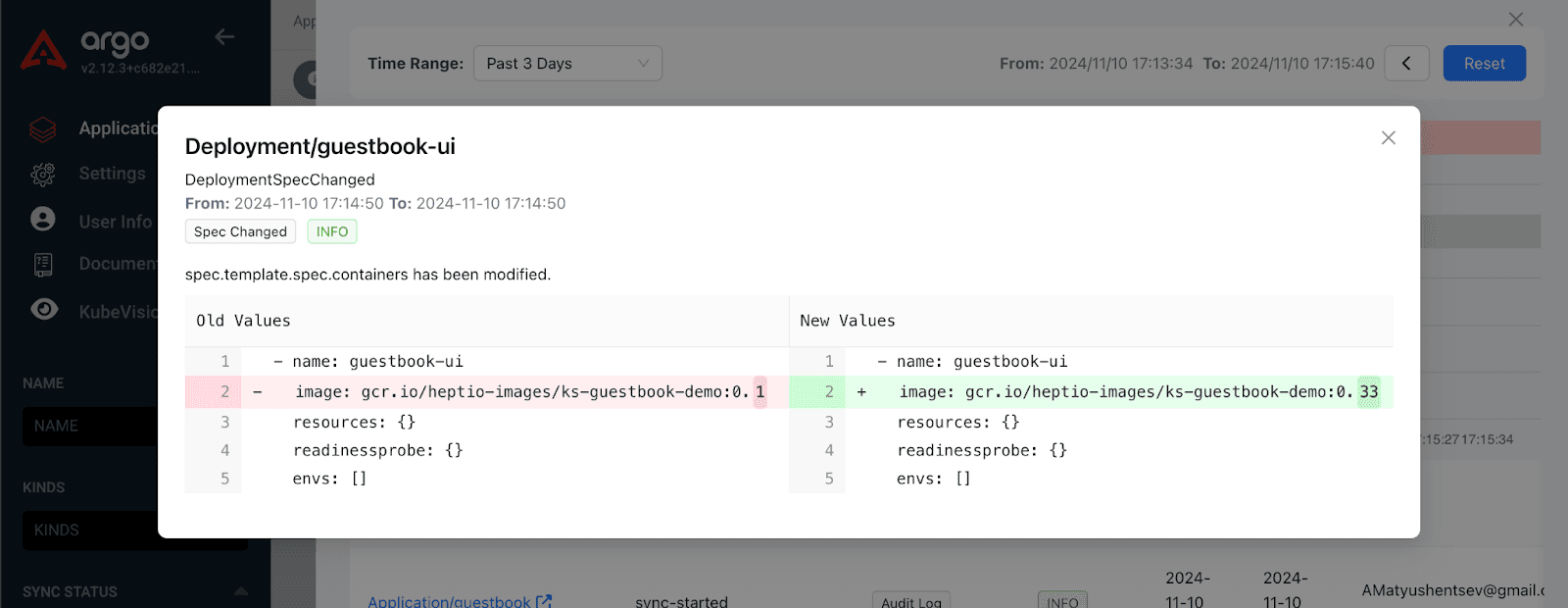
Once the engineer identifies the change that likely caused the outage, the next step is to determine what was modified and revert the configuration to the most recent healthy state. The Timeline View provides this information with just one click, saving the engineer from switching between various third-party tools and reducing investigation time at the most critical moment. For example, in an incident caused by a change in the Deployment spec, the Timeline View provides a diff visualization of the Deployment spec changes.
Non Workload Related Events
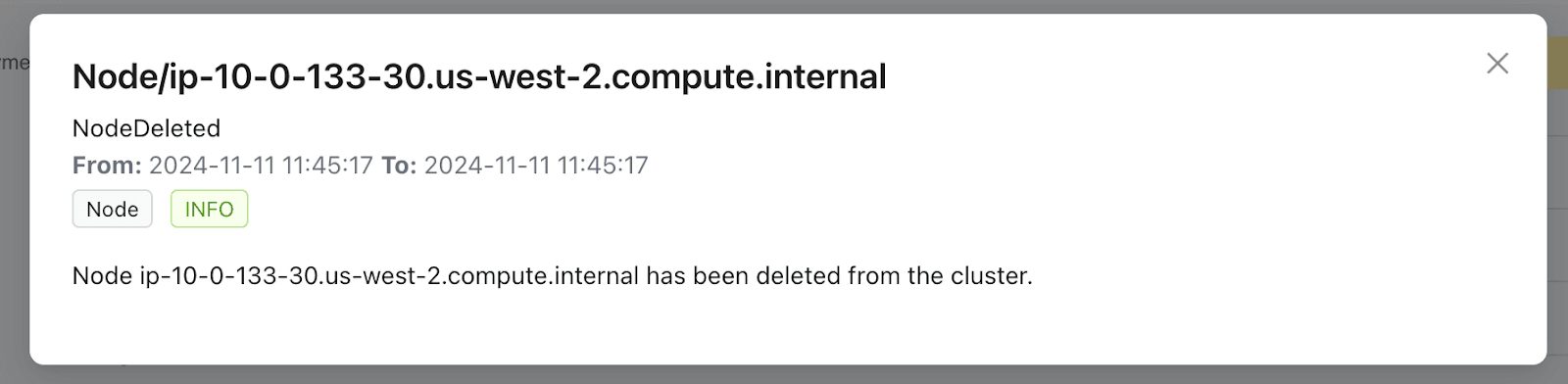
After identifying the root cause and resolving the incident, the next step is to determine why the issue occurred and what actions are needed to prevent it from happening again. The Timeline View supports this process by providing information on various events not directly related to the workload itself. The list of events include:
Kubernetes Node events that happened to host one of the affected workload pods:
Argo CD Application events that manages the affected workload:
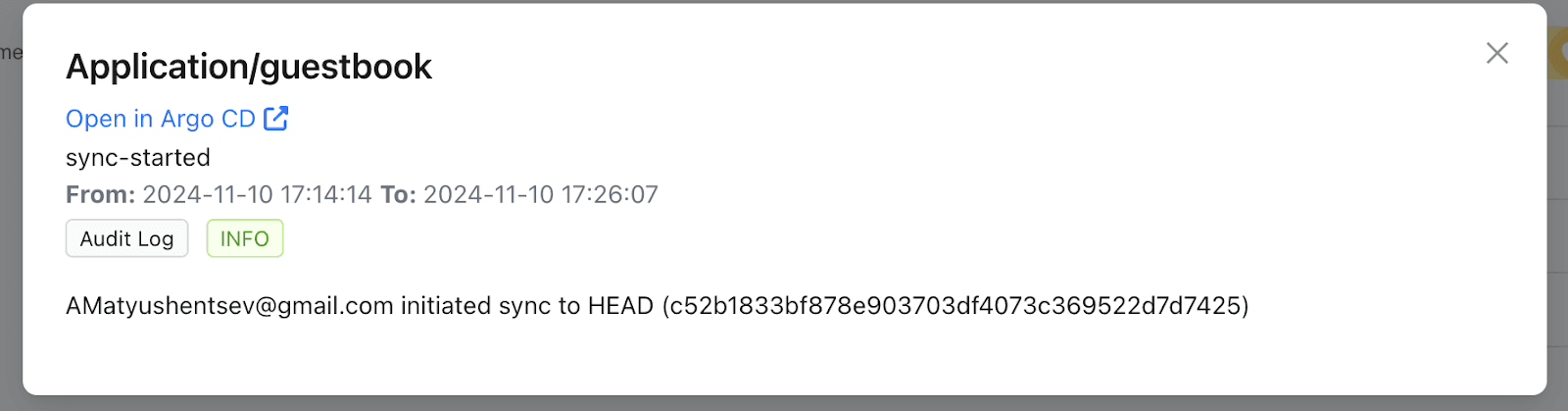
Finally, Audit Log events related to the workload:
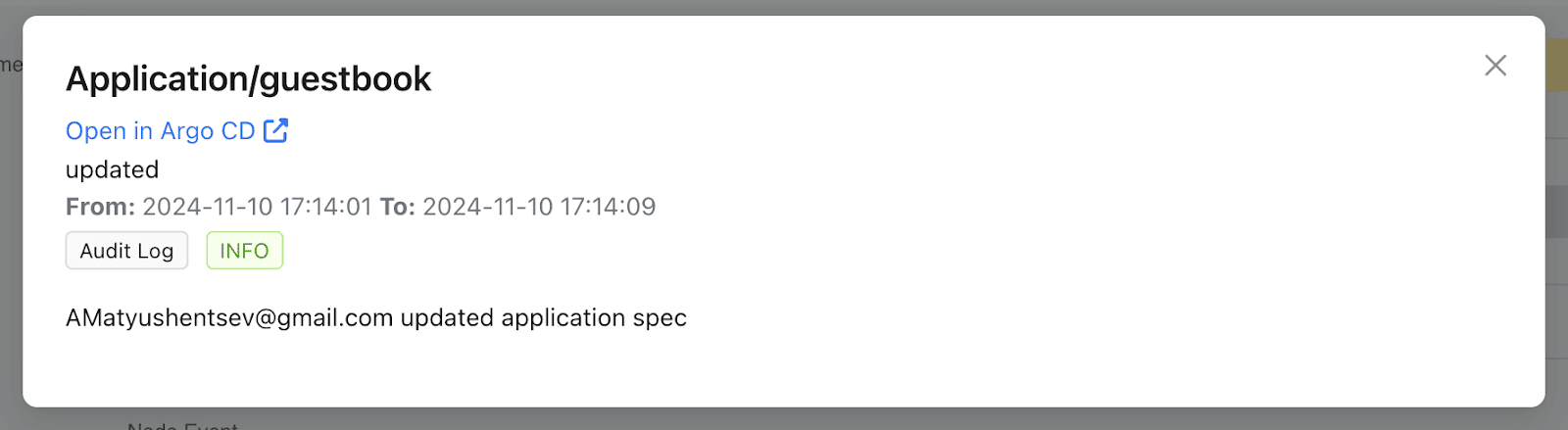
Timeline View For Cluster Addons
All these features are extremely helpful to application developers, enabling them to troubleshoot workloads managed by Argo CD. However, even if a workload is not explicitly managed by Argo CD, it is still monitored by Akuity and covered by the Insights Dashboards. Platform administrators can view workload-related events for any cluster namespace through the Akuity Portal user interface.
What Is Coming Next?
The Timeline View is already available to Akuity customers, and we are actively working on incorporating initial feedback. The team is dedicated to refining the experience, and our roadmap remains full of new ideas. Having historical data opens the door for very powerful AI based integrations. The power of having an engine that continuously collects the most important workload events–combined with the data gathered by Argo CD–is clear. Stay tuned.
Additional Resources
Interested in learning more about KubeVision? Check out these resources to maximize your learning journey:
