Config Management Plugins with Argo CD
Christian Hernandez

Argo CD has the ability to work with Config Management tools like Helm and Kustomize natively. However there are other configuration management tools out there that are starting to become quite popular. CUE, YTT, and Tanka for example. If a user wants to use any other configuration management tool, they can do so by using Config Management Plugins (or CMPs). With CMPs, Argo CD users have the ability to integrate any configuration management tools for their GitOps deployments.
I went over a Config Management Plugin Crash Course in my last video where I outline how CMPs work and how it can be used. Be sure to check it out!
Also, be sure to check out our free course on GitOps and Continuous Delivery. Developed by the founders of the Argo Project, this course offers hands-on experience in implementing these practices with Argo CD.
In this blog, I’d like to expand on the video and go over a real world use case of using CMPs - Helmfile.
What is Helmfile?
Helmfile, is a declarative way for deploying Helm charts. Some of the advantages of using Helmfile is that it lets you keep and maintain changes of your Helm releases in version control, apply CI/CD to configuration changes, and the ability to sync to avoid drift in your environments. A basic example looks like this:
You can set any number of repositories and any number of releases based on the repositories. An end user can then maintain the Helmfile in Git and sync it to the target cluster using: helmfile sync
This makes it perfect for GitOps! So let’s dive right into an example!
Using Helmfile in Argo CD
The first step is to create a ConfigMap of your CMP configuration. We will be focusing on the "sidecar" method as it will be the only supported method moving forward with Argo CD.
NOTE: While the
ConfigManagementPluginlooks like a Kubernetes object, it is not actually a custom resource. It’s just something that Argo CD "understands".
There are a few sections under the spec that are needed for this example:
init- Theinitstep always runs before the generate section. This could be used to do things like download the necessary binaries or any other dependency handling.generate- Thegeneratestep is where the magic happens. This step runs in the Argo CD Application source directory. Here is where you can do, basically, whatever you need! The only requirement is that the output MUST be a valid Kubernetes object; and the output must go tostdout. In this example I’m runninghelmfile templateand specifying the Argo CD Application target namespace. You can read more about what env vars are available to you in the official Argo CD Build Environment documentation page. You can find more examples of using the build environment in one of our past blog posts "Argo CD Build Environment Examples".discover- Thediscoversection is a flag to indicate if the sidecar for your CMP needs to run. In this case we’re looking for a file namedhelmfile.yaml.
Once you’ve created the ConfigMap, you can apply it to the cluster:
Next step is to patch the Argo CD Repo Controller Deployment to include your sidecar. Create the patch file for this example:
There are some important things to keep in mind here:
The sidecar container needs to run as user 999 in order to be able to read the files in the cloned repository.
Use an image that you’ve built that has the tools you need or use one that is known to have the tools. You can also "bake in" your
plugin.yamlfile as long as it can be found under:/home/argocd/cmp-server/config/In my case, I’m just mounting the
plugin.yamlin the container using the configmap I just created.Other mounts from Argo CD are important like
/var/run/argocd(that contains theargocd-cmp-servercommand that needs to run) and/home/argocd/cmp-server/plugins.
Once you have this patch file set, apply it to Argo CD by patching the argocd-repo-server Deployment.
This will trigger a restart of the Deployment. Make sure it’s done updating before you proceed.
Now, you can set up your Argo CD Application and point to a repo with a helmfile.yaml file.
If you’re used to Argo CD, this should look familiar because it’s just a "standard" Argo CD Application! Just a couple of things to note:
My repo path points to a directory with a
helmfile.yamlin it. You can view it on GitHub.I’m setting the
CreateNamespaceoption since I’m using helm and none of the helm charts I’m using provides the namespace.Note the
destination section, I’m deploying toin-cluster(which is the same cluster that Argo CD is running on). You might have to change it for your environment.Note that the destination namespace is referenced in the
plugin.yamlas$ARGOCD_APP_NAMESPACE
Success! The CMP recognized the helmfile.yaml in the repo (using the discover section) and ran the commands in the generate section to render out the YAML and Argo CD applied that YAML to the destination cluster.
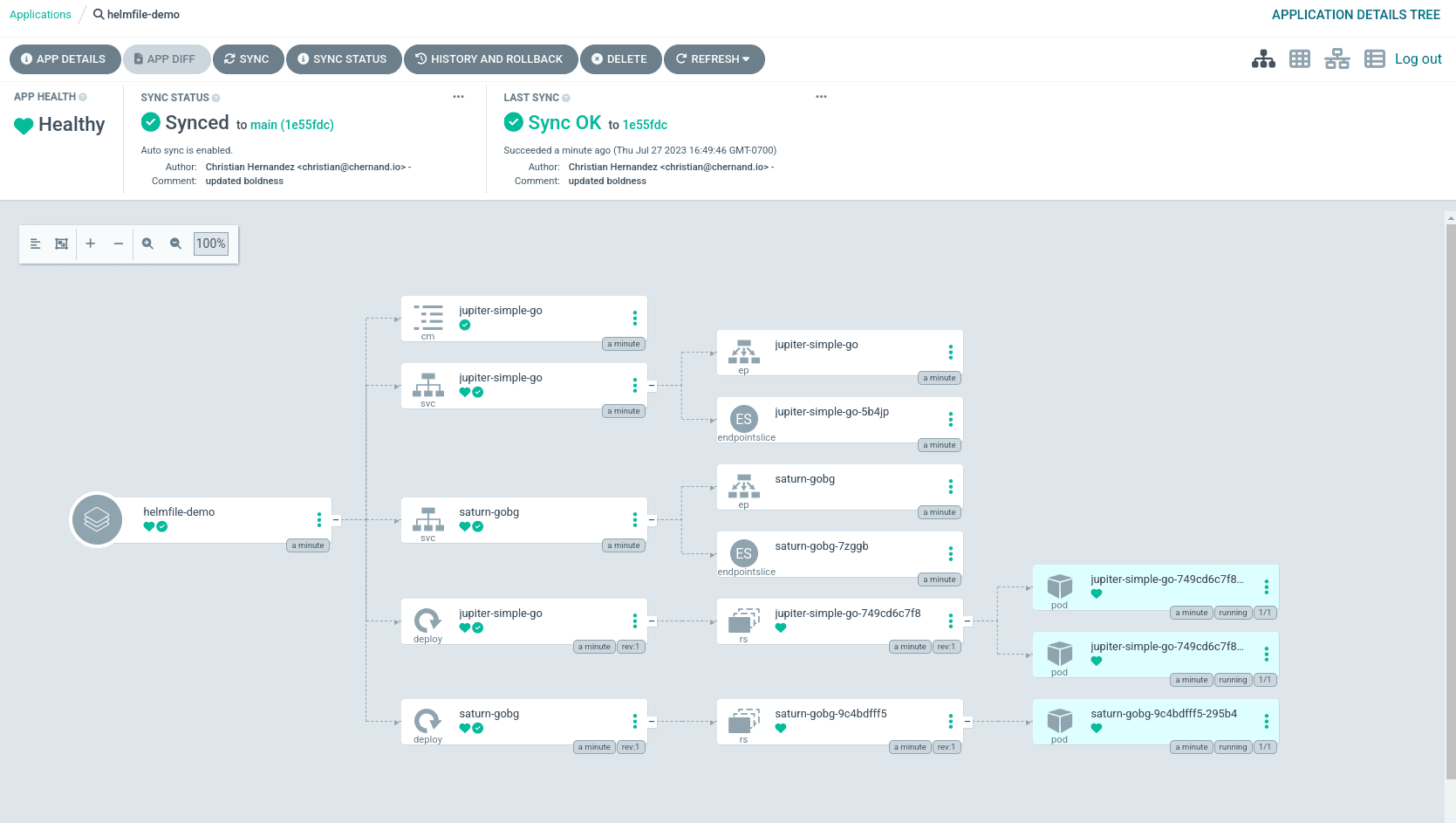
You can see that Argo CD deployed the Application into the namespace we've set.
An Easier Way
The Akuity Platform, the premiere way of managing Argo CD, makes it easy to install and manage ConfigManagement Plugins with its CMP setup wizard. That’s not all - users can take advantage of pre-built CMPs which can be used to quickly get started.
Additional Resources
Want to learn more about Config Management on Argo CD? Check out these helpful resources:
[Blog Post]: Argo CD CDK8S Config Management Plugin
[Guide] Continuous Promotion with Kargo - A Practical Guide for Platform Teams
[Video] Creating a fully-managed Kubernetes GitOps platform with Argo CD [Webinar]:
