Automating Blue-Green and Canary Deployments with Argo Rollouts
Nitish Kumar

For teams running Kubernetes at scale, releasing software reliably (without downtime or risk) is critical. Argo Rollouts makes it easier to implement advanced deployment strategies like blue-green and canary deployments, helping you automate progressive delivery and control how updates roll out in production.
In this guide, we’ll walk through how to use Argo Rollouts to automate these strategies, why they matter for modern DevOps teams, and how they fit into a GitOps workflow. Whether you’re deploying mission-critical services or experimenting with new features, Argo Rollouts helps you deploy with confidence.
What Are Blue-Green and Canary Deployments?
Before we dive into the how, here’s a quick breakdown:
Blue-green deployments route all traffic from your current version (blue) to a new version (green) in one step — with a fast rollback path if needed.
Canary deployments shift traffic to the new version gradually, allowing you to monitor performance and stability before going fully live.
Both strategies reduce release risk and are essential for teams looking to improve reliability and user experience.
Why Argo Rollouts?
Argo Rollouts brings progressive delivery to Kubernetes with native support for blue-green and canary strategies. It integrates with your GitOps workflows and supports automated rollbacks, metric-based analysis (e.g., Prometheus), and traffic shifting via service mesh or ingress controllers — all while giving teams full visibility and control.
Why Standard Kubernetes Deployments Fall Short
Kubernetes Deployments have become the standard way to manage application updates, but they didn’t always exist. In the early days of Kubernetes, Pods were controlled by Replication Controllers. These controllers ensured that a specified number of pod replicas were running, but they lacked built-in versioning and rollback capabilities.
This created challenges for managing updates. If you wanted to roll out a new version of your application, you had to manually scale down the old ReplicaSet and scale up the new one - a process prone to errors and downtime. To solve this, Deployments were introduced, providing a declarative way to manage ReplicaSets with built-in rollout and rollback features.
How Kubernetes Handles Deployments Today
Many organizations leverage the built-in Kubernetes Deployment resource to help manage application deployment. This Kubernetes Deployment leverages a rolling update strategy which replaces old pods with new pods a few pods at a time. Once the new pods are healthy, the old pods are terminated, and the process continues until all of the pods have been updated.
There are pros and cons to the Kubernetes Deployment:
Pros: By allowing some pods to continue to serve the application while other pods updates are in-progress, it can minimize application downtime. Additionally, Kubernetes offers a powerful rollback deployment feature which enables you to rollback to a previous version of your application if pods crash or fail a health check.
Cons: The Kubernetes rollback deployment does not flag an issue until a pod fails. This means there may be downtime between the pod failure and when the issue is resolved. Additionally, it may not detect bugs that don’t cause a full failure.
One example is if a new application version has a silent bug - such as a breaking checkout in an e-commerce app - it may go unnoticed until users report it which can lead to lost sales and frustrated customers. Since Kubernetes Deployments only react after failures occur, businesses may need to roll back an entire release, which can waste development efforts and disrupt planned feature rollouts. This can increase engineering costs and delay product roadmaps, affecting time-to-market for competitive features.
Argo Rollouts for your Kubernetes Deployments
Argo Rollouts is a Kubernetes controller and set of Custom Resource Definitions (CRDs) which provides advanced deployment capabilities such as blue-green, canary, canary analysis, experimentation, and progressive delivery features to Kubernetes. Unlike traditional rolling updates, which simply replaces pods sequentially, Argo Rollouts provides the user greater control and visibility over the deployment process.
A key benefit of Argo Rollouts is its ability to perform automated analysis whilerolling out a new version. With the standard Kubernetes Deployments, monitoring and responding to failures during a rollout requires manual intervention or external automation. You’d typically rely on metrics from a monitoring system like Prometheus and set up alerts for failures. When an issue arises, manual intervention would be required.
Argo Rollouts automates this process, by continuously monitoring key metrics during the rollout, which allows the rollout to bepaused or automatically rollback before the issue affects all users.
Key Concepts in Argo Rollouts
Argo Rollouts introduces a few core concepts that make blue-green and canary deployments in Kubernetes flexible, automated, and safe. Here’s a quick overview of the key components you’ll encounter.
Rollout
A Rollout is a custom Kubernetes workload resource that is a drop-in replacement for the standard Deployment resource when advanced deployment strategies are required. Unlike traditional Deployments, Rollouts allow for controlled and automated update workflows, integrating seamlessly with other Kubernetes components like Ingress controllers, Service Meshes, and Metric Providers.
Progress Delivery
Progressive Delivery is an advanced deployment methodology that incrementally introduces changes to a subset of users before rolling them out more broadly. This reduces risk by detecting issues before they affect all users.
Argo Rollout Deployment Strategies:
Rolling Update: This is the default Kubernetes deployment strategy where old pods are gradually replaced with new ones while ensuring application availability. It minimizes downtime but lacks fine-grained traffic control, meaning all users eventually experience the new version without incremental monitoring. Additionally, if a functional regression occurs that does not crash the application, Kubernetes does not automatically roll back, making it harder to catch silent failures.
Recreate: In this strategy, the old version is completely shut down before the new version is deployed. This approach ensures a clean state with no overlapping versions, making it ideal for stateful applications or workloads that cannot handle multiple versions running simultaneously. However, it causes downtime during the transition, making it less suitable for applications requiring high availability.
Blue-Green Deployment: This method runs two application versions in parallel - Blue (current) and Green (new). Traffic remains on the Blue version while the Green version undergoes validation. Once the Green version is confirmed stable, traffic is instantly switched over. If issues arise, rolling back is seamless by reverting traffic to the Blue version. This strategy ensures zero downtime but requires additional infrastructure to run both versions simultaneously.
Canary Deployment: This strategy introduces the new version gradually by shifting traffic in small increments while monitoring performance metrics. Initially, a small percentage of traffic (e.g., 5%) is directed to the new version. If no issues arise, the traffic share is increased to 25%, then 50%, until the full transition is completed. If problems are detected, the rollout can be halted or automatically reverted. This approach allows controlled risk mitigation and is often used with service meshes or ingress controllers for more precise traffic routing.
Analysis
Argo Rollouts provides several ways to perform analysis to drive progressive delivery. For example, when deploying a new API version using a Canary strategy, Argo Rollouts can integrate with monitoring tools like Prometheus to check error rates and response times. Initially, a small percentage of traffic is directed to the new version, and metrics are collected in real time. If error rates stay below a defined threshold, the rollout continues by gradually increasing traffic. However, if issues like increased latency or high failure rates are detected, the rollout is automatically halted or reverted to the previous stable version. This ensures that only healthy versions reach full production traffic, minimizing risk and improving deployment reliability.
Demo Overview: Argo Rollouts in Action
For the demonstration purpose, we’ll be using the argo-rollouts-demo repository to showcase the Blue-green and canary deployment. The manifests folder contains two manifest files that we’ll be using to perform a Blue-green and canary deployment. The argocd folder contains the Argo CD application manifest that we’ll be using to create our application deployed on Argo CD. The static folder contains html files for our web application. There are two versions of the application - v1(Blue, old version) and v2(green, new version).
How to Automate Blue-Green Deployments with Argo Rollouts
In a Blue-Green deployment, two environments - Blue (current) and Green (new) - run in parallel. The new version is deployed alongside the existing one, and once verified, traffic is instantly switched from Blue to Green. If an issue arises, traffic can be quickly reverted to the stable version. This method is ideal for high-risk changes, such as security updates or major feature releases, where instant rollback is critical. However, it requires additional infrastructure to run both versions simultaneously.
Imagine that you run an e-commerce platform that processes thousands of transactions per hour. Your platform consists of multiple microservices handling user authentication, product listings, payments, and order fulfillment.
Your team has just developed an enhancement for the checkout microservice - introducing a one-click checkout feature aimed at improving conversion rates. Instead of risking downtime or transaction failures during deployment, you opt for a blue-green deployment strategy to release the update safely.
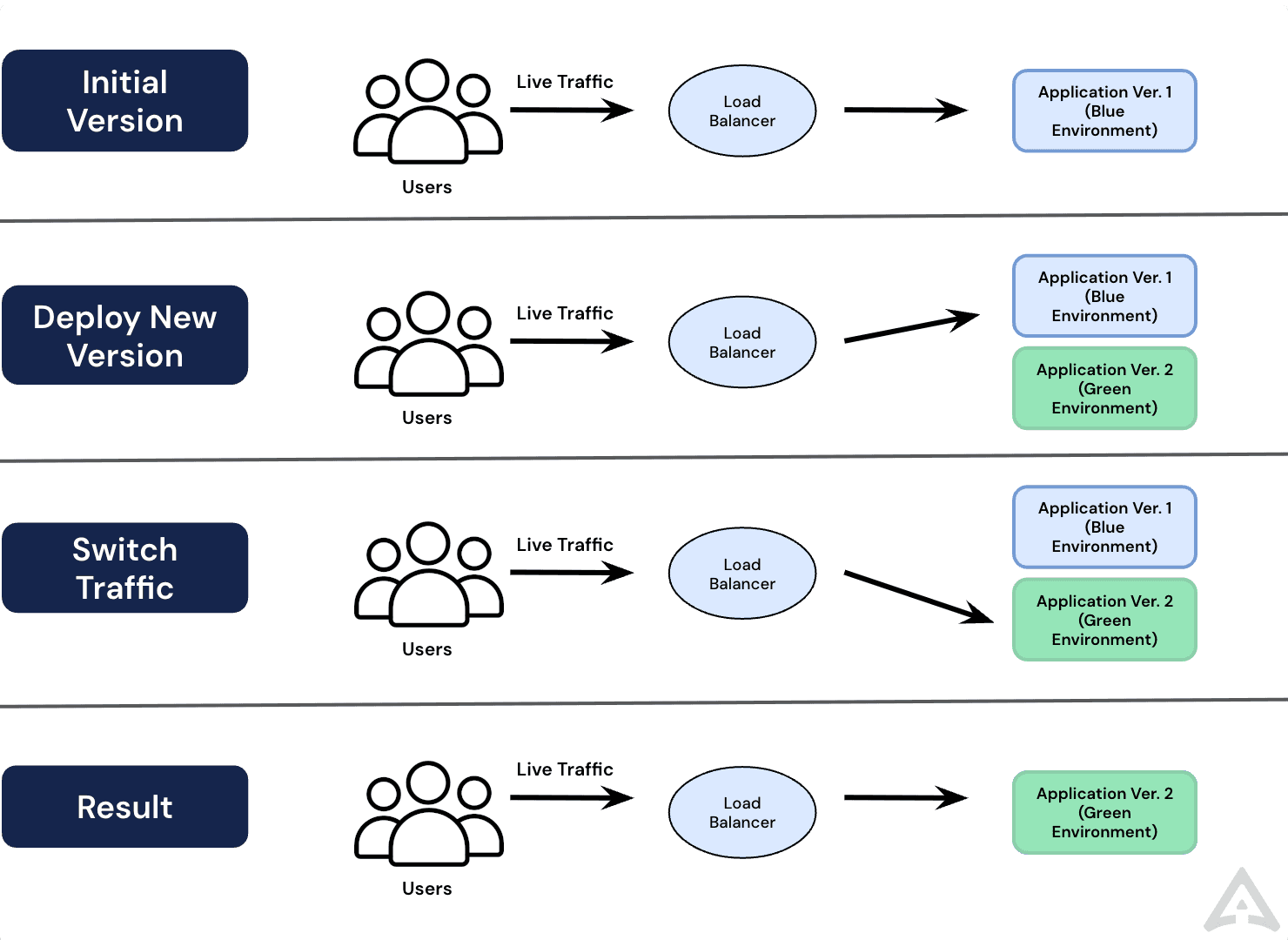
The Blue-Green Deployment strategy works in the following manner:
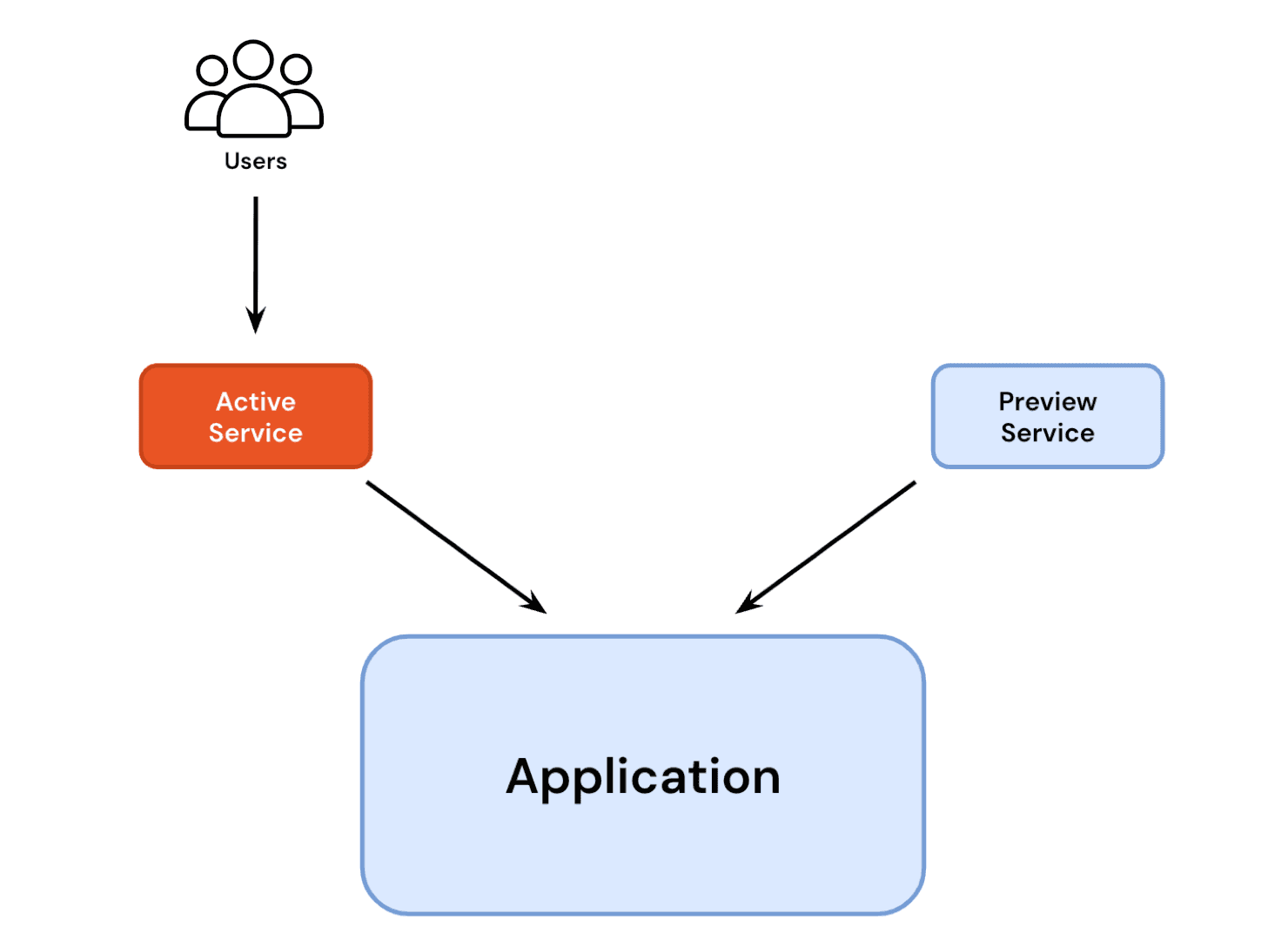
The application starts in a steady state, with the current version (revision 1) running. Both the active service and preview service point to revision 1.
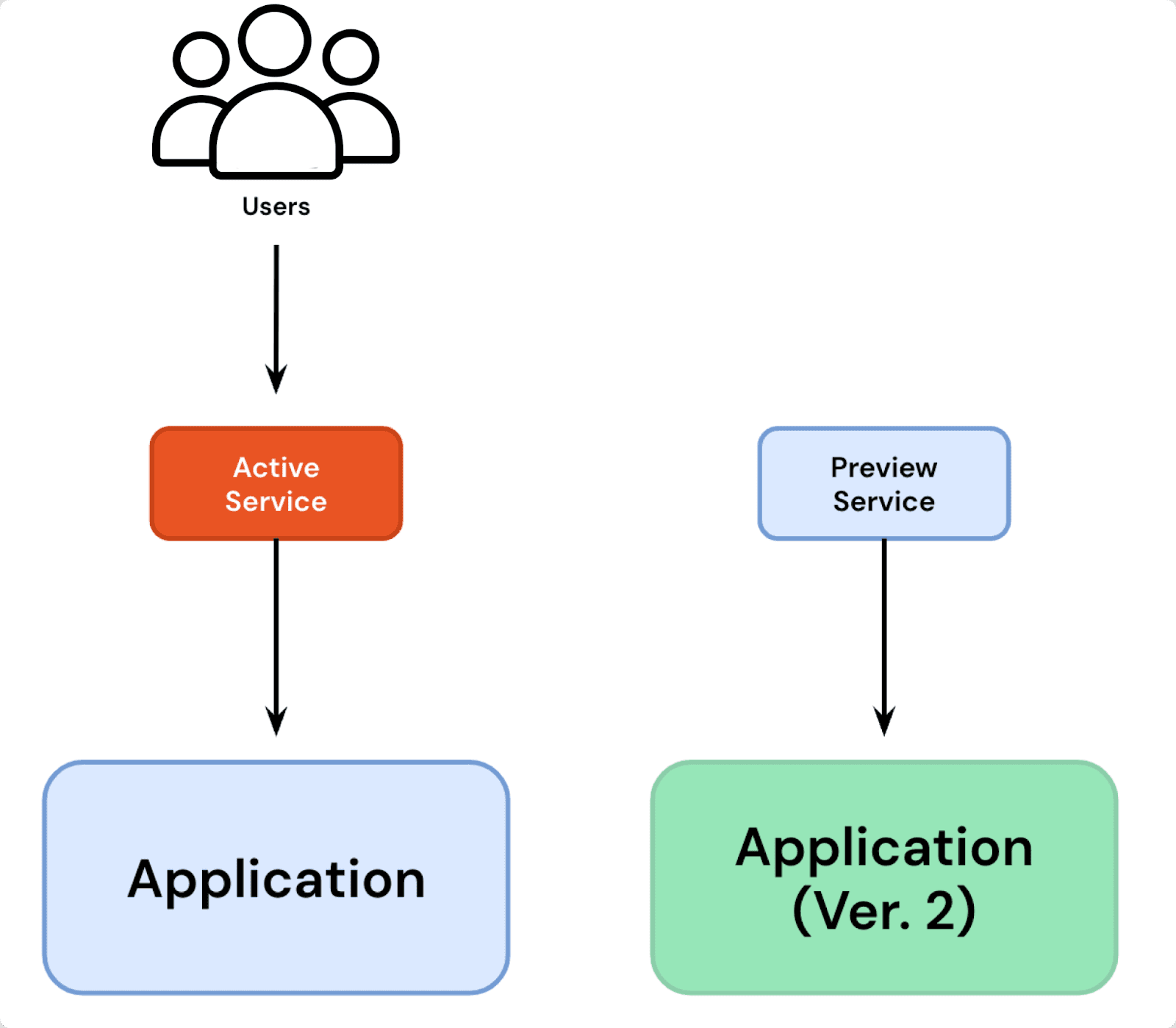
Someone from your team initiates an update by modifying the pod template (
spec.template.spec). This creates a new ReplicaSet (revision 2) with zero replicas.The
preview serviceis updated to point to revision 2, while theactive servicecontinues to serve traffic from revision 1. You maybe wondering how thePreview servicepoints to the revision.
4.. The rollouts controller does this, which sets a unique hash label on the new revision replicaset, and the service uses a selector that selects that new hash label.
Revision 2 is scaled up to the specified replica count (
spec.replicasorpreviewReplicaCountif set). Once the new pods are fully available, Argo Rollouts performs a pre-promotion analysis to validate the new version.previewReplicaCountis an optional field in Argo Rollouts that allows you to specify a different number of replicas for the preview version (the new version being tested) before it is fully promoted.If pre-promotion checks pass, the rollout pauses if
autoPromotionEnabledis false. IfautoPromotionSecondsis set, the rollout waits for the specified duration before continuing automatically.autoPromotionEnabledandautoPromotionSecondscontrol how and when a new version in a blue-green deployment is promoted from the preview stage to active. By default,autoPromotionEnabledis set to true, meaning the rollout automatically promotes the new version as soon as it passes pre-promotion analysis. However, ifautoPromotionEnabledis set to false, the rollout pauses after deploying the new version, allowing a manual review before promoting it. This is useful when teams want to validate a release before switching live traffic. Additionally,autoPromotionSecondsprovides a middle ground between automatic and manual promotion by introducing a time delay before the new version is promoted. For example, ifautoPromotionSecondsis set to 60, the rollout pauses for 60 seconds before automatically promoting the new version. This brief waiting period allows teams to catch any obvious issues before the update goes live.If
previewReplicaCountwas used, revision 2 is scaled to matchspec.replicasbefore promotion.The active service is updated to point to revision 2, making it the new live version. At this point, revision 1 is no longer in use.
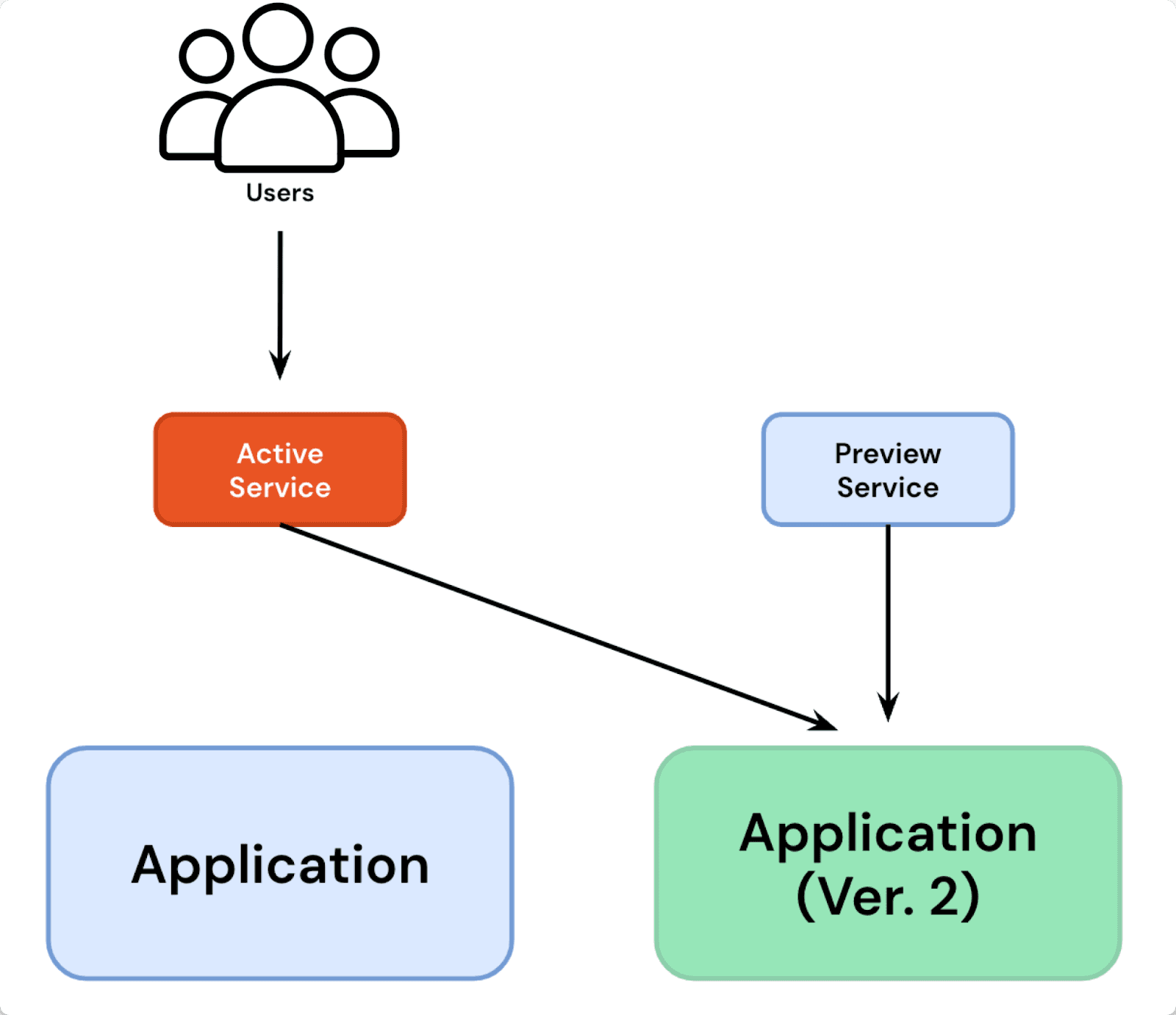
A post-promotion analysis runs to verify that the update is stable.
If the post-promotion analysis is successful, revision 2 is marked as stable, and the rollout is considered fully promoted. After waiting for
scaleDownDelaySeconds(default 30 seconds), revision 1 is scaled down, completing the deployment process.
A basic blue-green deployment rollout strategy follows the manifest below:
To verify all of this in action, follow the below demonstration steps (make sure you have Argo Rollouts installed already):
The blue-green manifest contains a Rollout resource and couple of service resource (active and preview service) which points to the application version. Changing anything under
spec.template.specwill trigger the rollouts controller to create a new Replicaset that contains our new application version. If we apply the manifest now, both the services will point to the initial version of the application i.e v1.
Create the Argo CD application for blue-green deployment by running the following command kubectl apply -f argocd/blue-green.yaml . The blue-green-rollout application will be created in the blue-green namespace. At this point, both the services point to the same application revision.
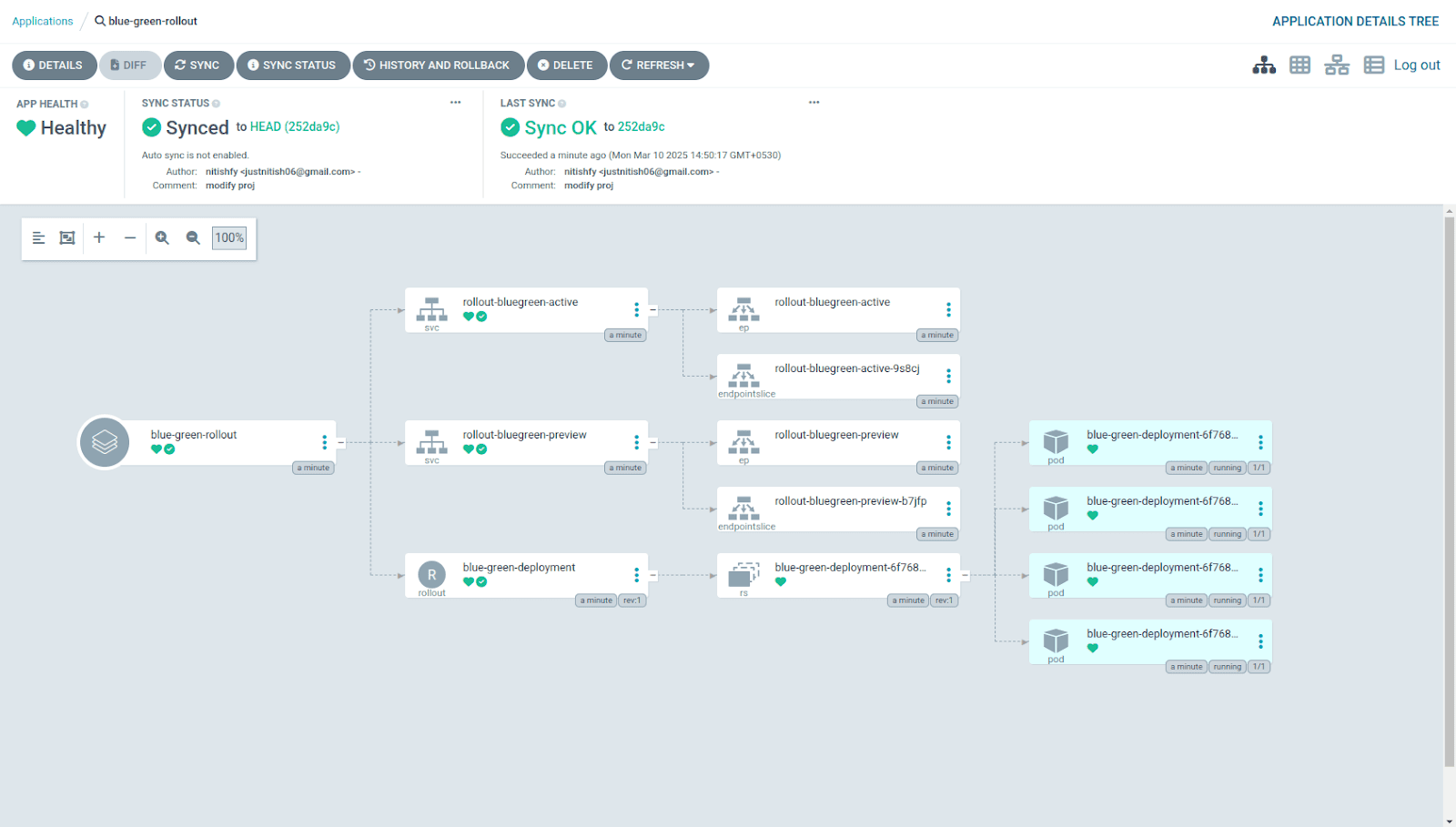
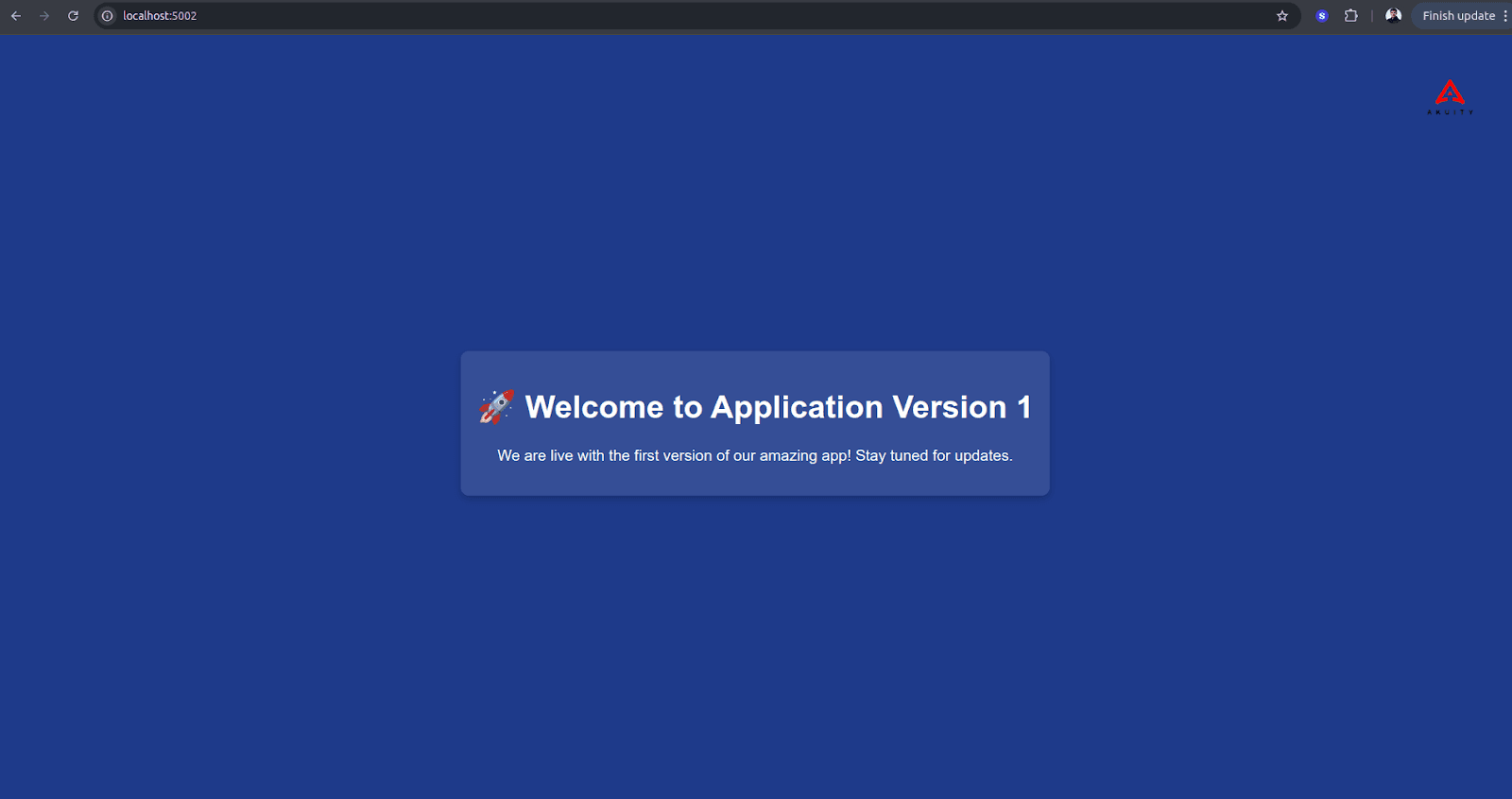
You can view both the versions of application by port-forwarding the service. Run the following commands to access the application version pointed by preview and active service initially.
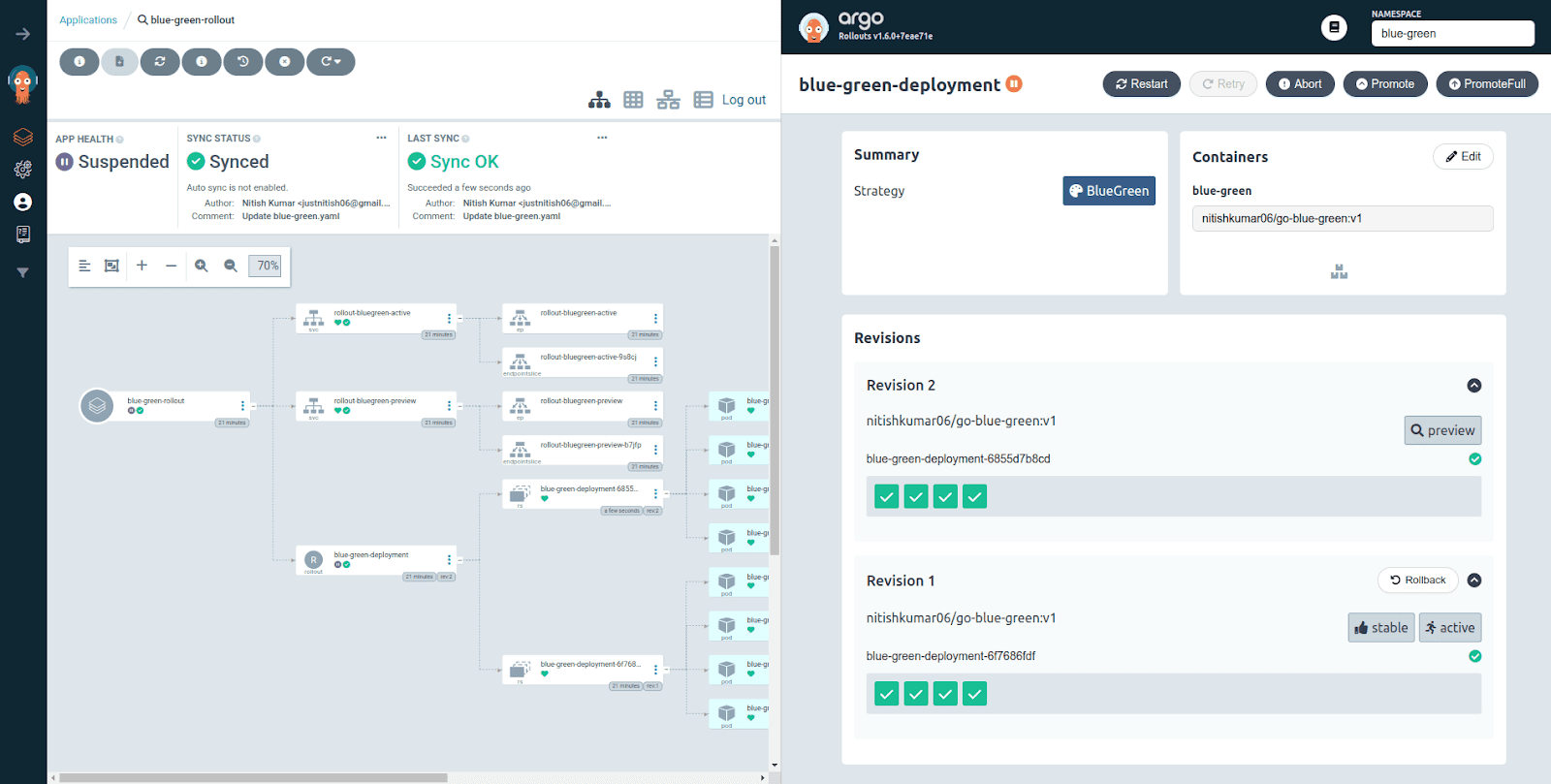
Perform a rollout to the new application version by committing and pushing the environment variable value to v2. When you sync your application on Argo CD, you’ll notice that the application is in the Suspended state although a new revision has been created on the rolllouts dashboard. This happens because of the indefinite pause in the rollout strategy.
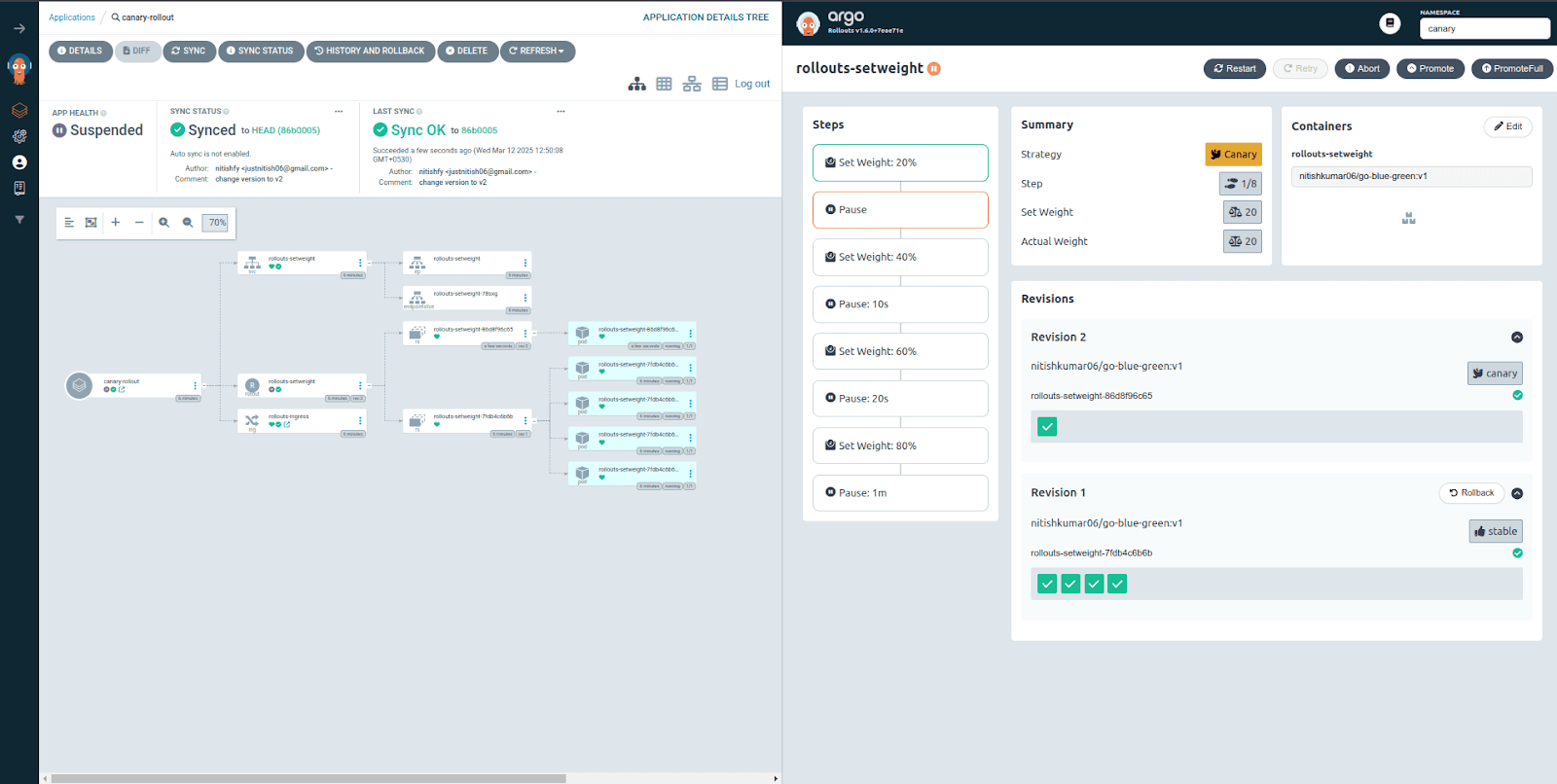
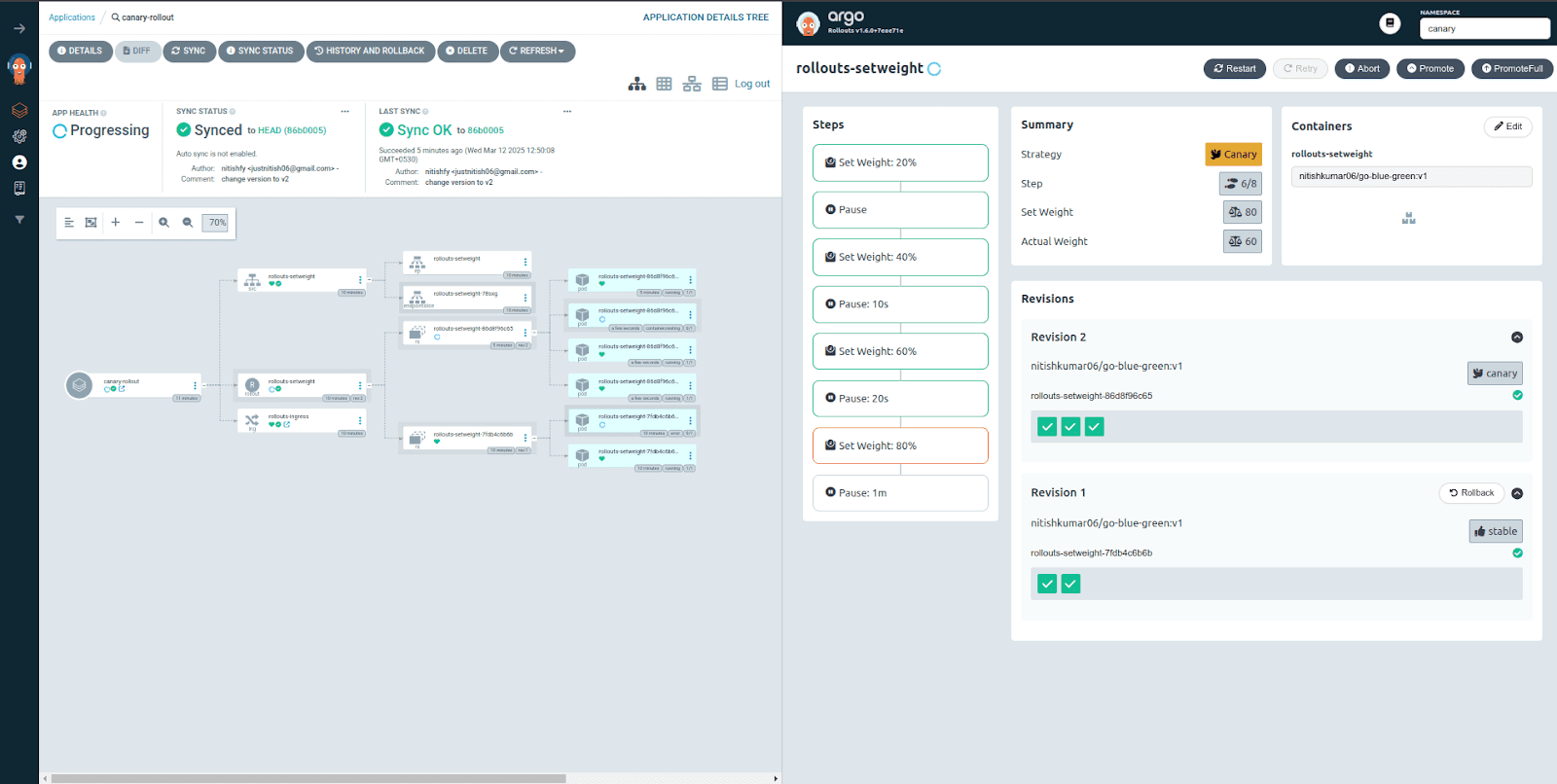
Right now, 20% of the traffic has been shifted to the new application version that is defined by the Revision 2. This is the reason why you see 1 Pod in the Revision 2 as by now out of total 5 Pods. If you refresh your application running at localhost:8081 multiple times, you’ll see the application version v2 too.
Commit and push the environment variable value to v2 to perform a rollout to the new application version. When you sync your application on Argo CD, you’ll notice that the application is in the Suspended state, although a new revision has been created on the rollouts dashboard. This happens because
autoPromotionEnabledis false, meaning the rollout waits for manual approval before switching traffic to the new version. This approach ensures that the new version can be tested before being exposed to users, preventing unexpected failures.
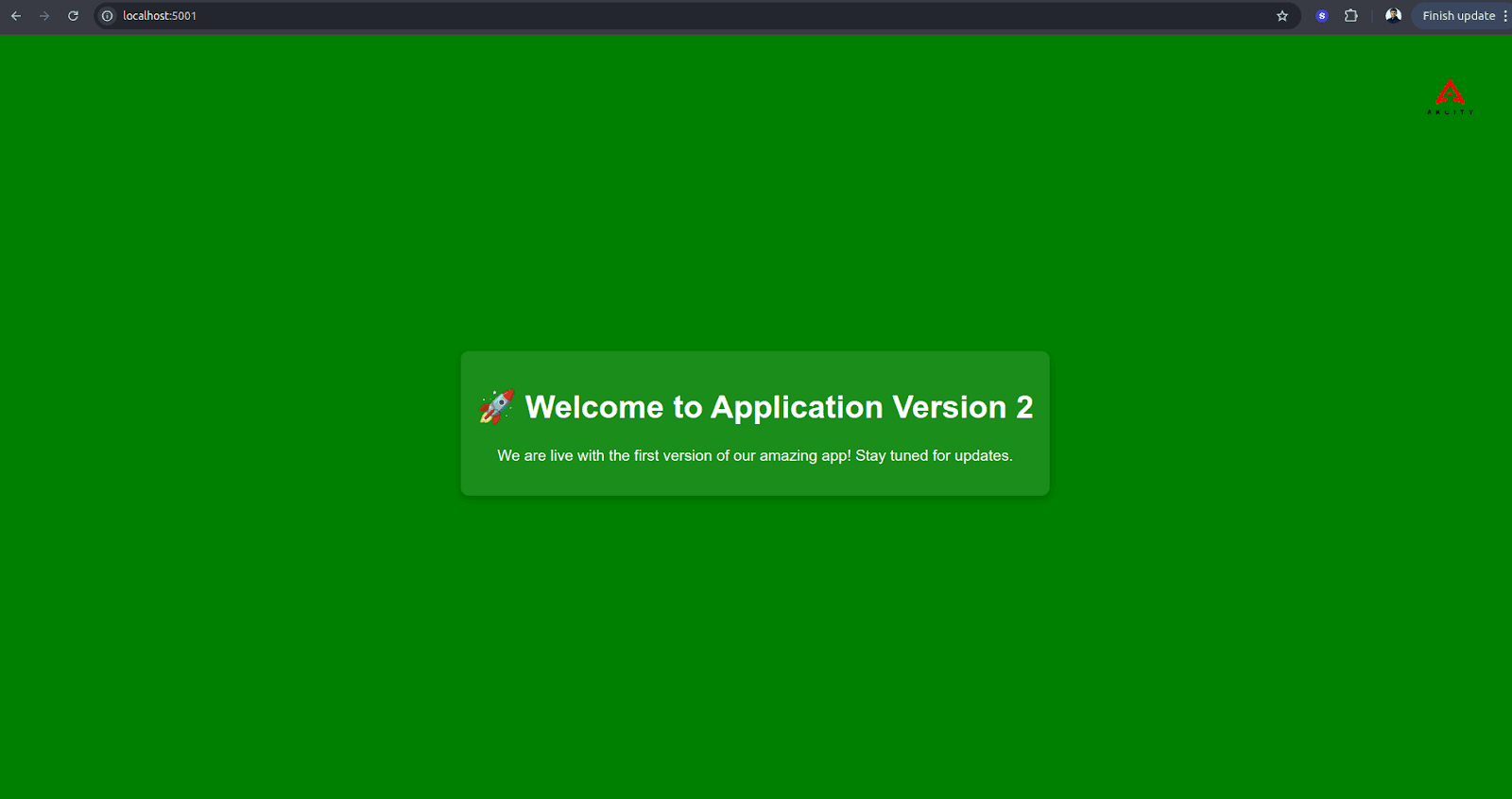
You can verify that the preview service is pointing to the new application version by rerunning the port-forwarding command. As a developer, you can perform any sort of testing or analysis for your new application version before making it live.
Once you’re done testing, you can promote the rollout by running kubectl argo rollouts
promote blue-green-deploymentcommand. When you do that and sync your application again, you’ll notice that the old revisionReplicasetgets removed and both the services point to the new revision Replicaset.Rerun the port-forwarding command, and you’ll notice that active service also starts pointing to the new application version.
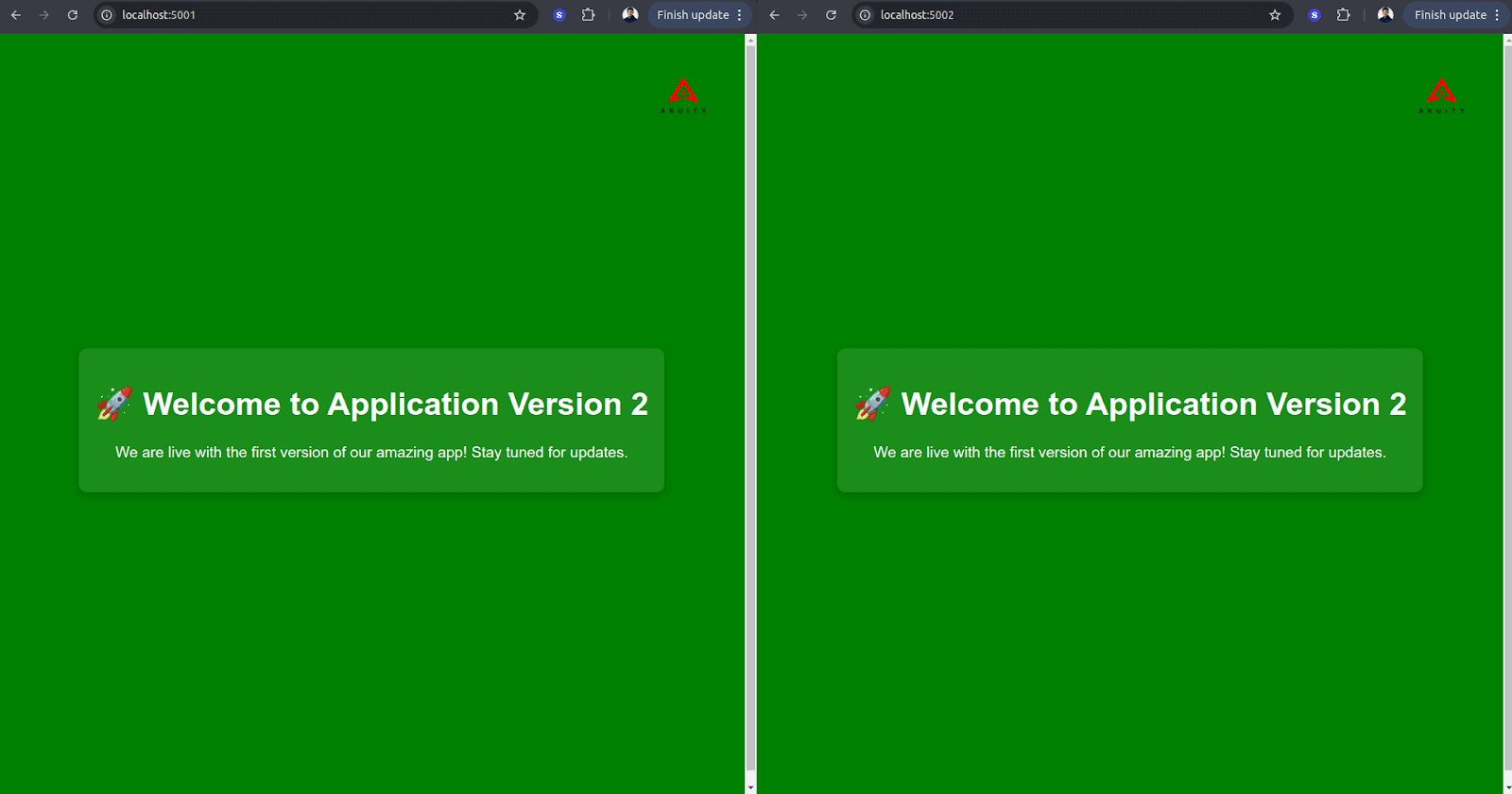
If you look at the selector of the active service, it points to the unique hash of the new revision Replicaset that contains our new version application (green).

Argo Rollouts Canary Deployment Strategy
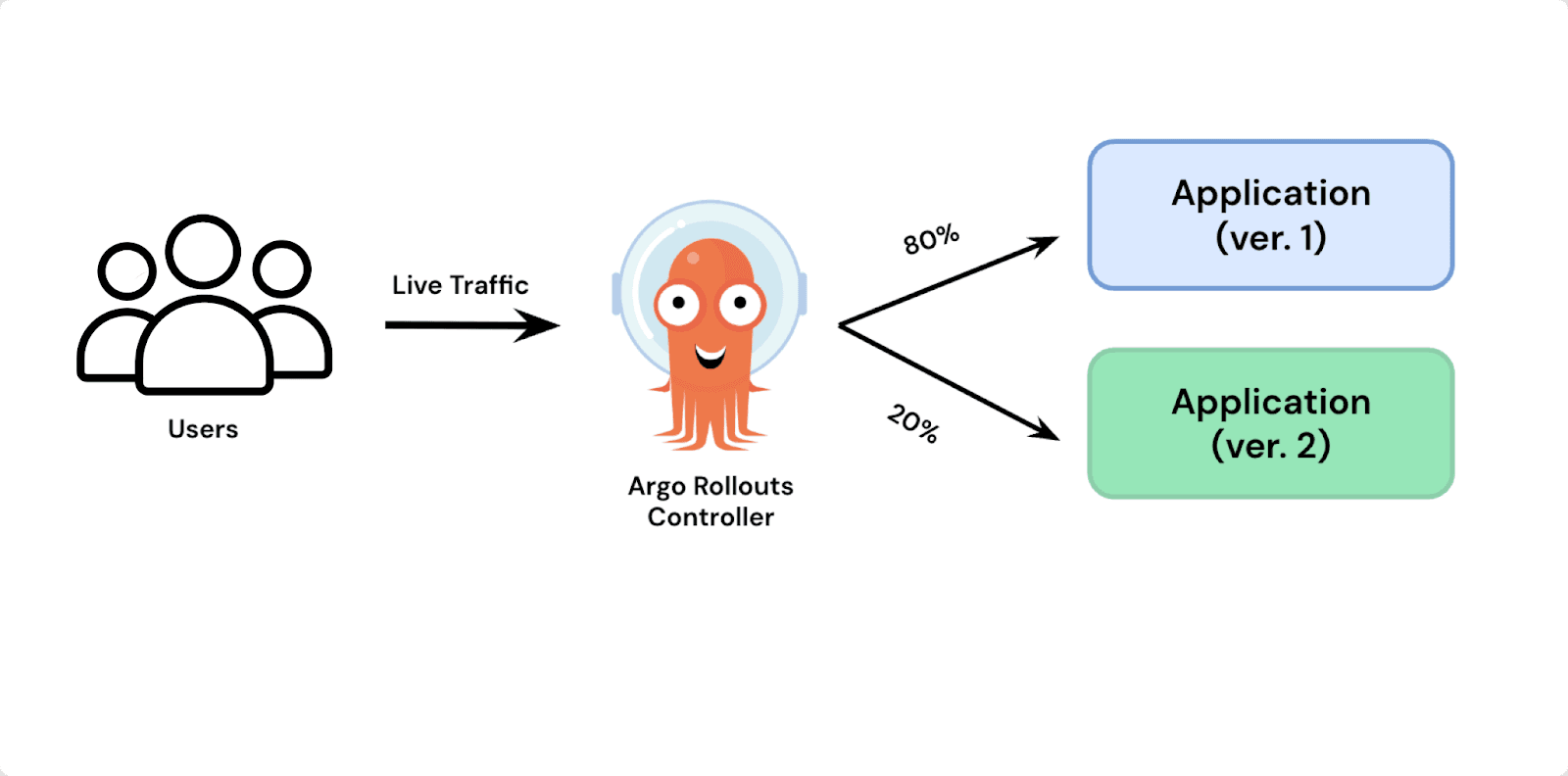
A Canary Deployment is a progressive release strategy where a new version of an application is rolled out to a small subset of users or infrastructure before being gradually promoted to the entire environment. This approach helps minimize risks by allowing teams to monitor performance, detect issues early, and roll back changes if needed, ensuring a safer and more controlled deployment process. You can also configure the background Analysis to execute during the rollout. If the analysis is unsuccessful the rollout will be aborted.
Imagine you’re running a large e-commerce platform that serves millions of users across different regions. One of your key features is a dynamic pricing engine, which adjusts product prices in real-time based on demand, competitor pricing, and stock levels.
Your data science team has developed a new AI-driven pricing algorithm that is expected to increase sales and optimize profit margins. However, deploying this new model to all users at once is too risky—if something goes wrong, you could either overprice products and lose sales or underprice them and hurt profits. Instead of an all-or-nothing release, you choose a Canary deployment to introduce the update gradually and safely.
Here’s how it works:
Deploy the Canary Version to a Small User Segment
Your production system (v1) is currently serving all users.
You roll out the new pricing engine (v2) to just 5% of users, randomly selected from a single region (e.g., California customers).
A feature flag ensures that only these users see the new pricing model, while the rest continue using the old system.
Monitor Key Metrics
Your engineering and business teams track critical metrics:
- Conversion rates (do more users complete purchases?)
- Average order value (is the new pricing maximizing revenue?)
- Customer support tickets (are users complaining about pricing issues?)If the metrics show positive results with no major issues, you increase exposure to 20% of users.
Incrementally Increase Traffic to the New Version
Over the next few days, traffic to v2 is gradually increased from 20% → 50% → 100%.
Each step is carefully monitored to detect anomalies or unexpected behavior.
If a major issue is detected, the team can immediately roll back to v1 without affecting most users.
Full Rollout and Decommissioning the Old Version
Once the new pricing engine has proven its reliability and effectiveness, 100% of users are switched over to v2.
The old version (v1) is retired, but the system keeps historical data to compare performance over time.
An example manifest for a canary deployment in Argo Rollouts looks like this:
In order to see the Canary Deployment live in action, follow the below steps:
The canary manifest creates a canary rollout and a service that is pointing to the rollout. Create the canary application in Argo CD by running the
kubectl apply -f argocd/canary.yaml. This will create your canary application in the canary namespace along with an ingress resource. You can also view the application created on the Rollouts dashboard.You can view the application version by port-forwarding the ingress service. Run the following command to access the application version pointed by
rollouts-setweight service.
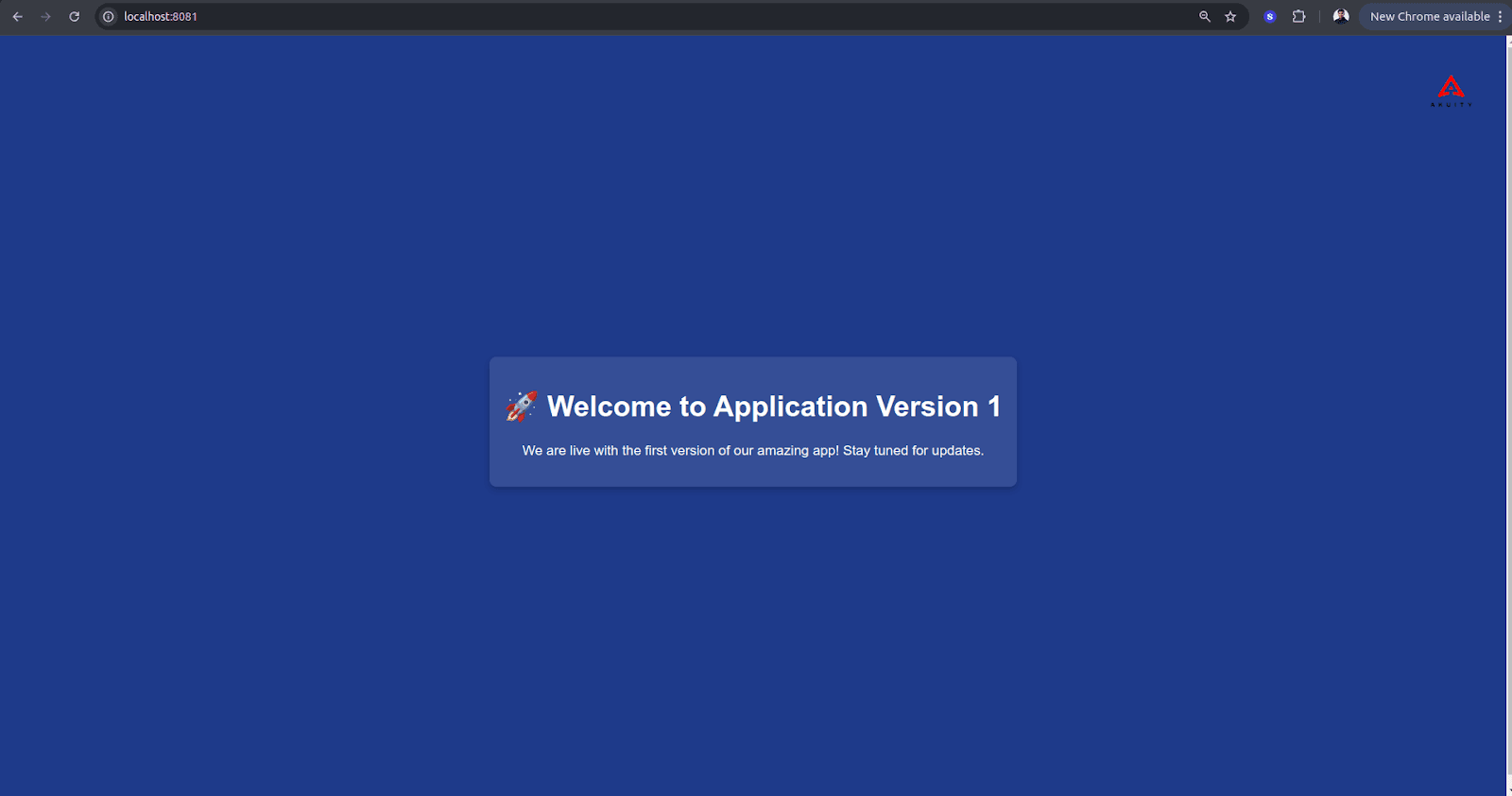
Perform a rollout to the new application version by committing and pushing the environment variable value to v2. When you sync your application on Argo CD, you’ll notice that the application is in the Suspended state, although a new revision has been created on the rolllouts dashboard. This happens because of the indefinite pause in the rollout strategy.
You can resume the rollout by running kubectl argo rollouts
promote blue-green-deploymentcommand. Once you finish that and sync your application again, you’ll notice that the old revisionReplicasetgets removed finally with pause in between.
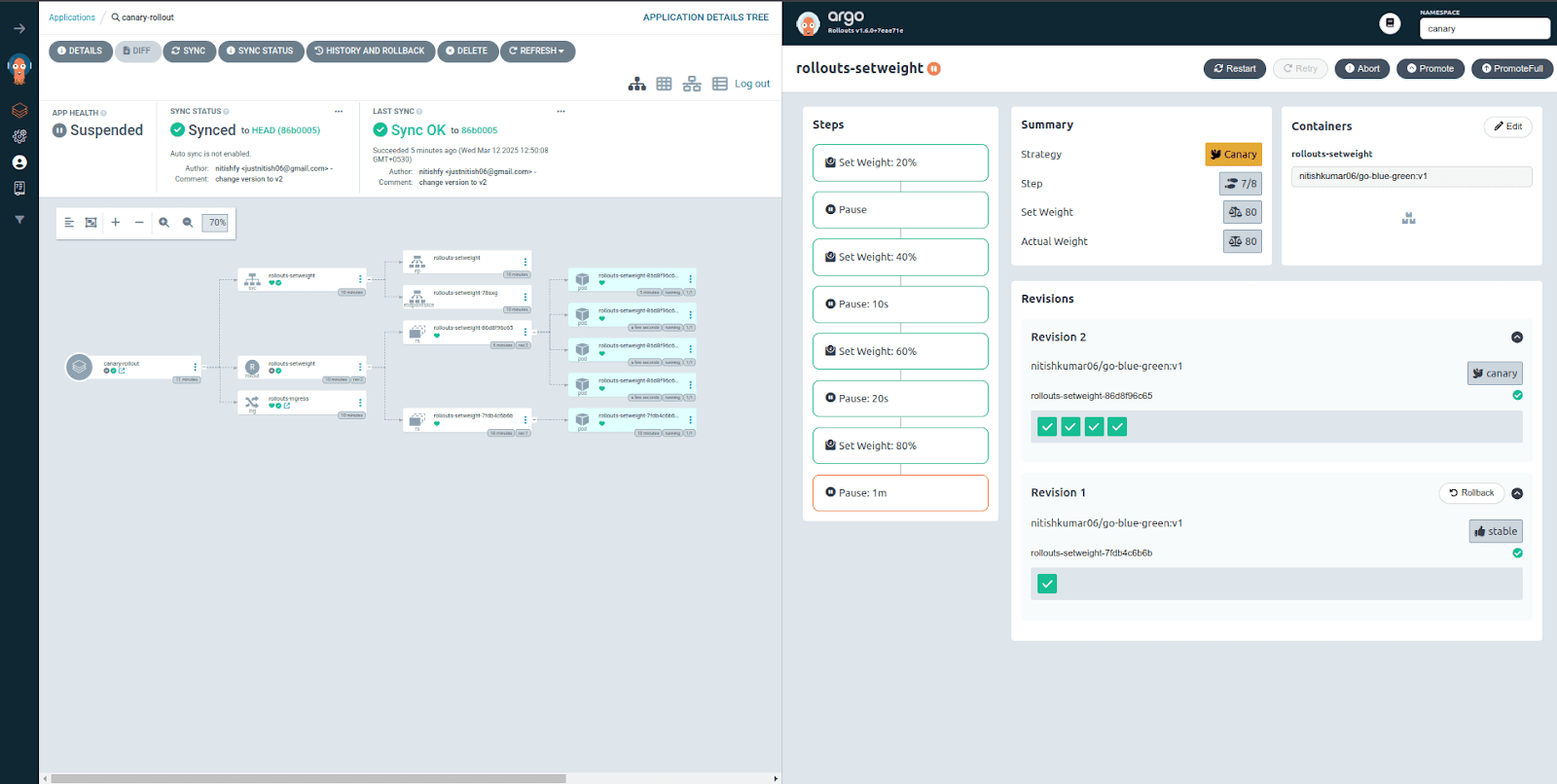
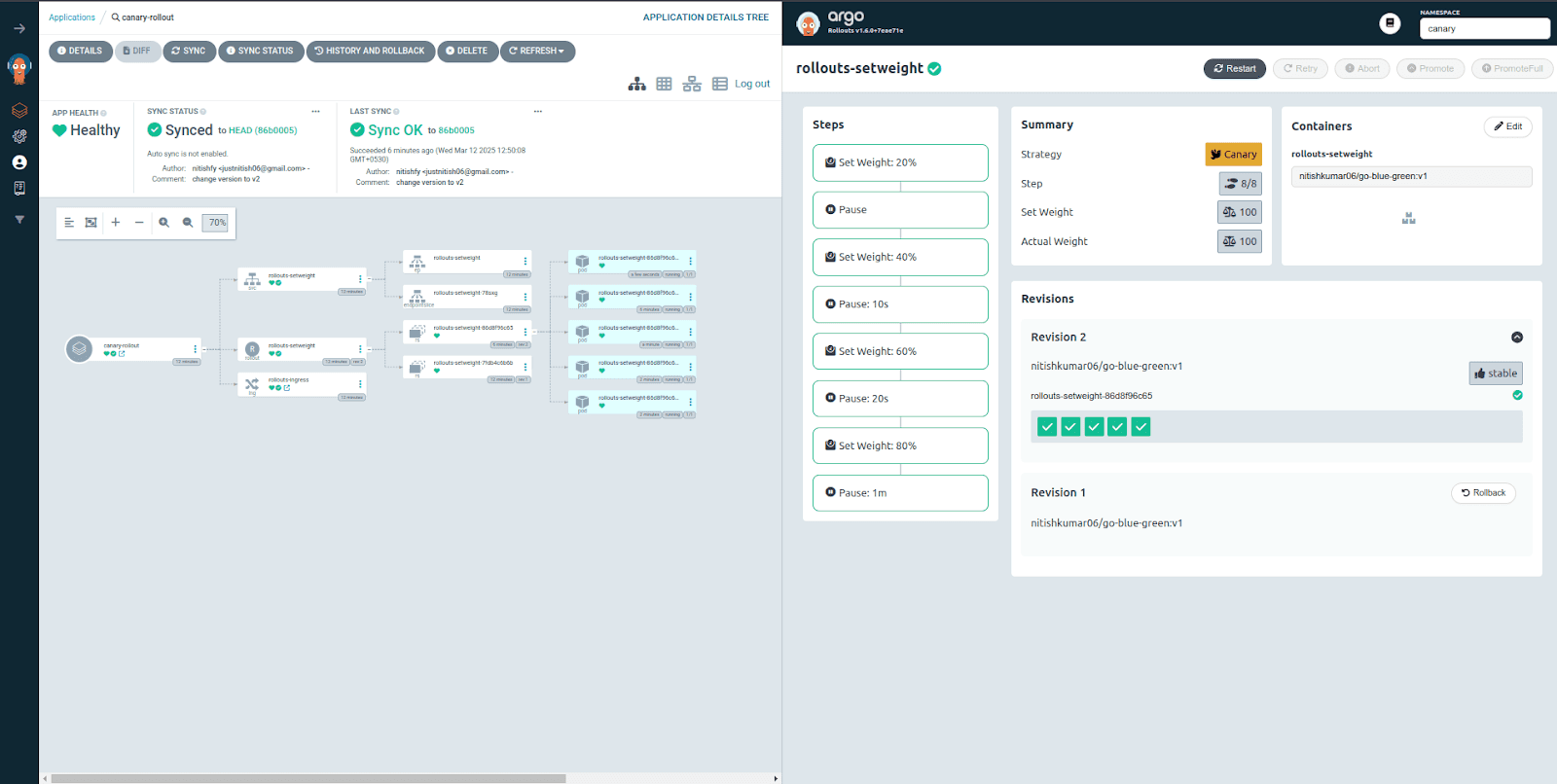
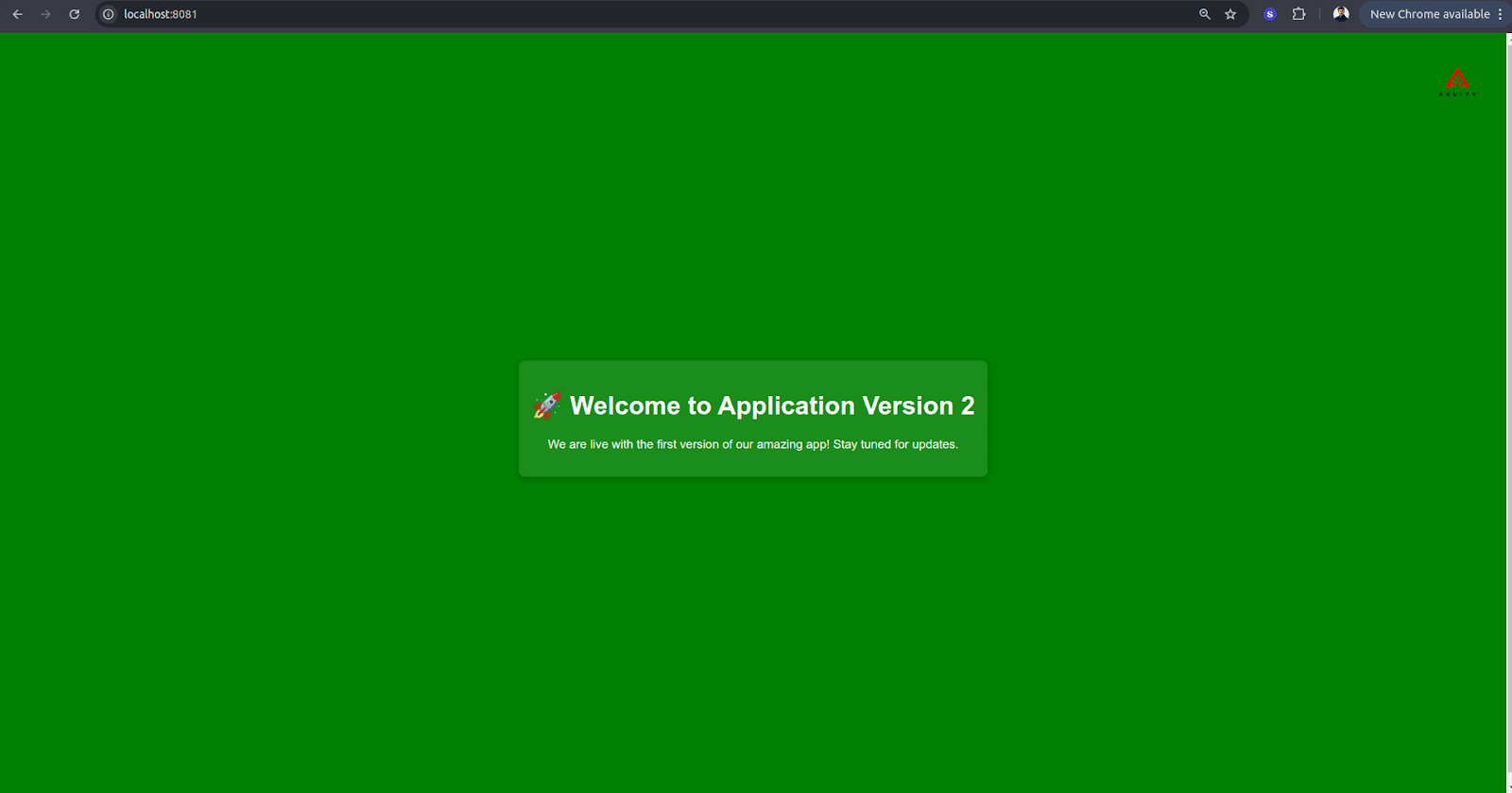
Finally, if you refresh your application again, you’ll notice that you’re running the application version v2.
Final Thoughts & Argo Resources
In this blog, we learned how to use Argo Rollouts to automate your application rollout using Blue-Green and Canary Deployment while remaining true to the GitOps principles using a GitOps agent like Argo CD. However, Argo CD often lacks scalability because of its architecture. Want to learn how Akuity, founded by the creators of Argo, solves these scalability challenges by redefining the Open Source Argo CD architecture? Check out these resources:
[Blog Post]: Argo CD Architecture Redesigned
[Blog Post]: Unlocking Ultimate Argo CD Security
[Blog Post]: Unlocking Ultimate Argo CD Scalability
[Blog Post]: Unlocking Ultimate Argo CD Flexibility
[Guide]: Continuous Promotion with Kargo - A Practical Guide for Platform Teams
